
Best AI Chatbot: Run Five Tasks, Keep the Winner
The best AI chatbot depends on the task. Five jobs, where to start for each, and a scored test you run in one thread.
The best AI chatbot is the one that wins the task in front of you, and your tasks change three times before lunch.
No single chatbot wins every job.
A ranking that crowns one has scored its own tasks, not yours.
Start with Claude for writing, a search-backed model like Perplexity for research that needs sources, and the assistant inside Google or Microsoft when your files live there. For code, long documents and everything else, start with whichever family passes a test you run yourself. That test is the rest of this post.
You've seen the wrong version. You pick one chatbot, pay $20 a month, and use it for everything. On Thursday it hits the job it's weakest at, so you add a second subscription.
Now you have two tabs, and the second chatbot has no idea what the first one knew.
Add up ChatGPT Plus, Claude Pro, Gemini Advanced, SuperGrok and Perplexity Pro and the bill lands near $100 a month. Each one starts every conversation knowing nothing about what you told the others.
What you want is the best AI chatbot for each task, in one tab, with a thread that remembers what the last answer said. Not five apps that have no idea what the others are doing.
Pick the best AI chatbot by the task, test it on your own work, and keep every contender in one thread.
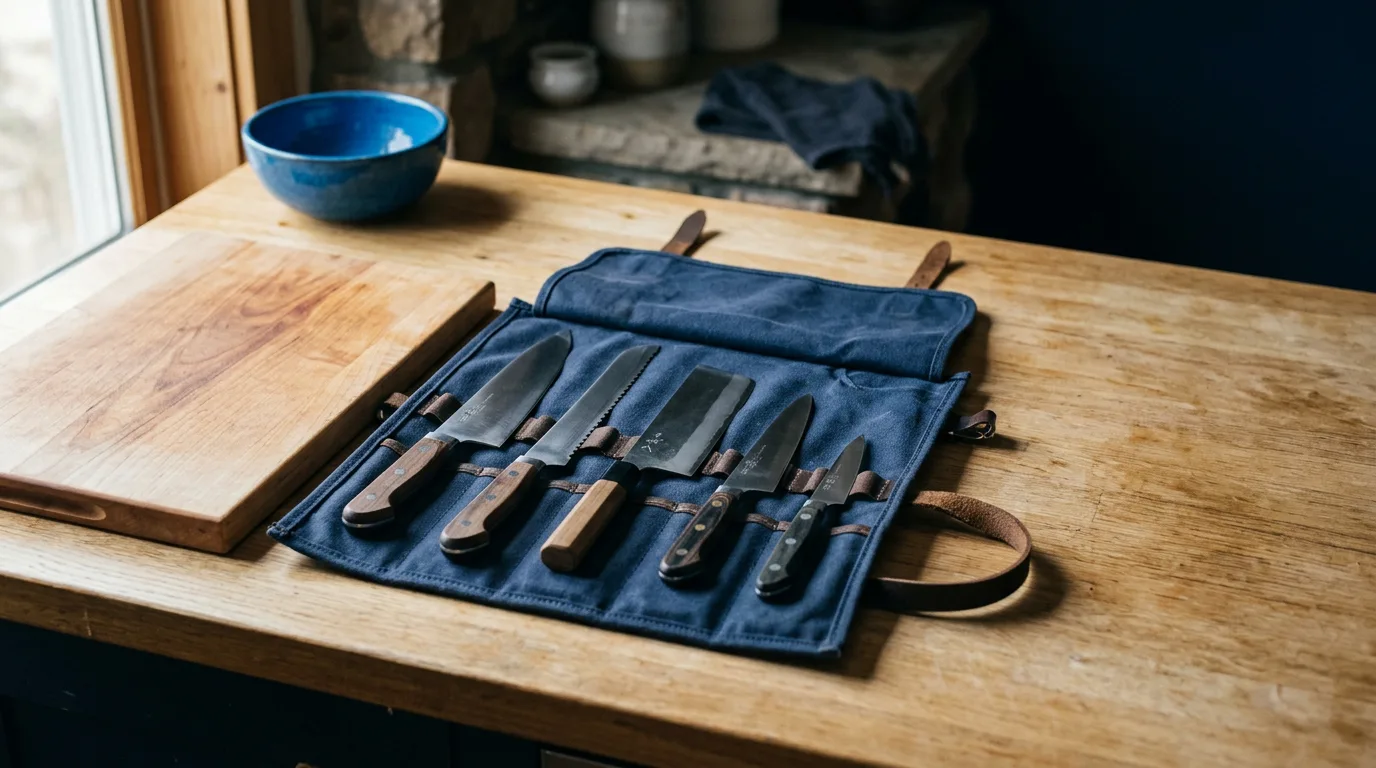
A cook never asks which knife is best. A cook asks which knife for this cut.
You'd laugh at a chef who carried one blade for bread, fish and bone. You're doing the same thing if you carry one chatbot for a pitch, a contract and a bug.
Below are the five jobs that decide it, the way each one fails quietly, and a scorecard you can run in an afternoon.
The best AI chatbot depends on five jobs, and each one fails differently
Almost everything you ask a chatbot to do lands in one of five jobs. Each has its own judge and its own quiet way of going wrong. The table pairs every job with what decides the winner, a family to start with, and the failure to watch for.
| Job | What decides the winner | Where to start | How it fails when nobody checks |
|---|---|---|---|
| Writing and editing | Minutes of editing before you would send it | Claude | Smooth sentences with nothing specific in them |
| Research with sources | Whether each link supports the sentence beside it | Perplexity | A real link that does not say what the sentence claims |
| Long files and data | A fact buried in the middle of the file | Claude or Gemini | A confident summary that skips the middle |
| Code and math | Whether it runs on your project | ChatGPT, Claude or DeepSeek | Code that looks right and calls something that does not exist |
| Images and video | Whether the first result matches the brief | A chat model that briefs a dedicated image or video model | A chat model describing a picture it cannot make |
The "where to start" column comes from what each family is built to do. It's a place to begin, not a result.
Here's why you can't skip the testing and trust a leaderboard. Stanford's 2026 AI Index reports that top models keep closing on each other, with the top U.S. model leading the top Chinese model by just 2.7% as of March 2026. The same report says some widely used benchmarks carry error rates as high as 42%.
Leaders that close together, measured by yardsticks that wobble, can't be separated by a rank.
"But a leaderboard has to beat a guess." For ruling out a weak model, it does. It can't tell you which of three strong ones writes in your tone, reads your files without skipping the middle, or cites a page that says what the sentence claims.
Only your tasks can do that.

Your five tasks don't have to match the table. They have to match your week. Open last week's work and find the five things you asked a chatbot for, or wished you had. A person who sends client updates all day might run writing, research, and a long file, and skip code entirely.
Whatever you pick, the task has to be one you can grade. If you can't tell a good answer from a bad one, the test measures your confidence, not the chatbot.
The sections below take one job at a time. Each gives you the prompt to type, what to score, and the failure that fools people.
Writing: the winner is the draft you edit least
The only number that matters for writing is minutes. Time how long it takes to turn each draft into something you'd send under your name. A draft that reads beautifully and needs forty minutes of surgery loses to one that reads plainly and needs five.
Use a real piece of writing you owe someone this week. A made up prompt gets you a made up result. Paste in the brief, two or three samples of your own writing, and ask for a first draft.
Write a first draft of [the piece: a client update, a launch email, a proposal intro] for [reader and what they care about].

Here are three samples of how I write. Match the rhythm and the vocabulary, not just the topic: [paste samples].

Constraints: [length], [what must be included], [what to avoid].
Answer from scratch. Ignore any earlier replies in this thread.
Send it to each contender. Then do the one thing a ranking never does: underline every sentence that could appear in anyone's email. "We're excited to share an update" is the sort. Count the underlined sentences in each draft.
The draft with the lowest count is working from your brief. The one with the highest is working from habit.
The failure that fools people is imitation of the surface. A model copies your pet phrases and misses your rhythm, so the first paragraph sounds like you and the fourth sounds like a press release.
Read the middle of each draft, not the top.
The second half of the writing test is the revision. Mark up the draft you liked best with three specific corrections: cut the opening, make the second paragraph shorter, and replace one phrase you'd never say. Send those back and see what happens.
A good result applies all three and leaves everything else alone. A bad one applies two, rewrites a paragraph you didn't touch, and quietly drops a point you needed. You'll spend more time with the revision than with the first draft, so score it with the same care.
Start with Claude and make it earn the spot. If you want prompts for each kind of writing, the post on the best AI for writing has them, with a test of its own.
Research: a citation is a claim to check, not proof
A chatbot that shows its sources feels safer, and sometimes it isn't. In March 2025 the Tow Center for Digital Journalism at Columbia tested eight AI search tools with live web access on whether they could find and cite news articles correctly. Its headline finding sits in the title: they're all bad at it.
A follow up piece from the same center describes what its experiment found. Chatbots misattributed quotes, fabricated links, and sometimes pointed to syndicated or copied versions of an article instead of the original.
That study measured news. Your question may be about tax rules or a competitor's pricing, but the lesson travels.
A link beside a sentence proves the link exists.
So test research like an editor. Ask each contender two questions, one you already know the answer to cold and one you don't. Then open every link.
Answer this question and cite a source for every factual claim: [question].

After the answer, list each source as: the claim, the link, and the exact sentence on the page that supports it.
If you can't find a source for a claim, say so instead of guessing.
The "exact sentence" line matters. It turns a vague citation into something you can check in ten seconds with a find command on the page. Score each citation as supports, partly supports, or doesn't.
A tool that says "no source found" has done you a favor. It should score higher than one that hands you a tidy link to a page that says something else.

Search-backed models such as Perplexity's are built around this job, and they're in Magai, so you can put one beside a general chatbot with web access and ask both the identical question. If those two are your shortlist, Perplexity vs ChatGPT is the longer comparison.
Add a second question where the sources disagree. Pick a topic where two reputable outlets or two official pages give different numbers, and ask for the answer. The better chatbot says the sources conflict and tells you which is which. The weaker one picks a side and sounds sure about it.
One more trap. Check the date on the page too. A correct claim from a page two years old answers a different question than the one you asked.
Long files and data: hide a fact in the middle and see who finds it
Context window size has stopped being the differentiator. The ChatGPT, Claude, Gemini and DeepSeek families in Magai all list windows near a million tokens on the models list, so your file fits. What varies is whether the answer comes from the whole file or from the first and last pages.
Build the test from a document you know well: a contract, a quarterly report, a spreadsheet export, a 40 page proposal. You have to know the facts cold, or you can't grade.
Pick four things to ask for. Three exist in the file, one near the start, one in the exact middle, one near the end. The fourth doesn't exist anywhere in it.
Using only the attached file, answer these four questions. For each answer, quote the sentence or cell that supports it and give its page or row.

1. [a fact from page 2]
2. [a fact from the middle of the file]
3. [a fact from near the end]
4. [a fact that is not in the file]

If the file doesn't say, write "not in the file".
The fourth question separates them. A model that invents an answer to question 4 will invent one in your real work too, and it'll do it on the day you're moving fast.
Score each contender. Finds all three and flags the fourth as missing is a 2. Finds all three and invents the fourth is a 1. Misses the middle fact is a 0.
For a spreadsheet, add one arithmetic question, such as the total of column D, and check it against the sheet yourself. A chatbot that reads a table as text can add what it sees instead of what's there, so verify the number every time.

Then ask for a summary of the whole file in 200 words and count where the words went. If the first two pages get half the summary and the last forty get one sentence, you've found a model that reads like a tired intern. It isn't wrong, exactly. It's thin where you can't see it.
Attach the file to the thread once. Every model you bring into the same Magai thread works from that file with your context intact, so you aren't uploading the same contract three times to three apps.
Code and math: the only benchmark that counts is your own project
Public coding leaderboards test puzzles. Your work has a framework version, a folder structure, and a bug that only happens when two settings combine. Use that.
Take a real bug from your backlog, with the error message and the failing test or the steps to reproduce it. Give each contender the same package: the error, the relevant code, and your framework version.
Here's an error from my project: [paste the error].

Here's the code involved: [paste the code].

I'm on [language and framework version].

Find the cause, give me the smallest change that fixes it, and tell me how to confirm the fix worked.
Then run what comes back. Score 2 if it works on the first run, 1 if it works after one correction from you, 0 if it doesn't.
Read the explanation too. A wrong fix often arrives with an explanation that doesn't match your error message, which gives it away before you run anything.
The failure that fools people is code that looks right and calls something that doesn't exist in your version of the library. It reads fine in the chat window and fails on your machine. That's why the prompt above names your version.
Run your existing tests after the fix, not only the one that failed. A fix that repairs the bug and breaks a neighbor is a 1 at best, and the only way to catch it is to run everything. If your project has no tests, ask the chatbot to write one for the fix, then read that test as carefully as the fix.
For math, ask for the working and not only the answer, then check one step by hand. The step you check is the one most likely to expose a model that landed on the right number for the wrong reason.
Put ChatGPT, Claude and DeepSeek on the bench. Adding a fourth contender takes one more slash pill in the message, not another subscription.
Images and video: sometimes the best chatbot is the one that hands off
A chat model describing a picture isn't a picture. When a job ends in an image or a clip, the chatbot's job is to write a good brief and pass it to a model built for pictures.
In Magai, a chat model can hand a task to a separate image or video model inside the same thread. No single AI provider offers that across models it doesn't own, because each provider's chat product is limited to its own generation tools.
So the model that wrote your launch email can brief an image model for the header and a video model for the teaser, and the thread keeps all of it.
Test the handoff, not the picture. Ask each chat model to write the image brief for the same scene, run every brief through the same image model, and compare the results. That isolates the part of the job a chatbot owns.
I need a header image for [the post or email]. Write a brief for an image model: subject, composition, lighting, color palette, and what to leave out. Keep it under 120 words.
Score 2 if the first image matches your intent, 1 if it needs one revision, 0 if it never gets there. The AI image and video generator page lists what's available inside a plan.

If you make a lot of images, add a style test. Keep a short style note in the thread, with your palette and the look you want, and ask each chat model to write three briefs that follow it. The best one writes briefs you could hand to a designer without a follow up question.
For video, the brief needs the thing a still doesn't: what moves, how the camera moves, and how long the clip runs. A chat model that writes a lovely still brief and forgets the motion has done half the job.
Privacy and price break the ties
When two chatbots score the same on your five tasks, the tie goes to the one you can safely put your real files into, then to the one that costs less.
Privacy first. Plans of the same product can carry different data terms, so read the terms of the plan you'd actually use before you upload a client file. Microsoft, for one, states that prompts, responses and Microsoft Graph data in Copilot aren't used to train its foundation models.
Magai doesn't use anything you send or get back to train a model, whether the model comes from OpenAI, Anthropic, Google or any other provider on the platform. Your conversations stay between you and the teammates you invite.
Before you upload anything sensitive to any chatbot, ask three questions of its data terms: is my content used for training, who on the team can read it, and can I turn either off. If the answer to any is vague, the answer is no.
Then price. The table sets the five subscription habit beside Magai's three plans.
| Option | Monthly cost | What you get |
|---|---|---|
| ChatGPT Plus, Claude Pro, Gemini Advanced, SuperGrok and Perplexity Pro, separately | About $100 | Five apps that never compare notes |
| Magai Standard | $20 | Every standard model and tool, $20 of monthly usage, unlimited agents, 100 scheduled task runs |
| Magai Pro | $40 | Every model including the premium ones, $40 of monthly usage, unlimited agents, 1,000 scheduled task runs |
| Magai Ultra | $200 | Every model including the premium ones, $200 of monthly usage, unlimited agents, unlimited scheduled task runs |
Every plan carries a 30 day, 100% money back guarantee, so running the five task test on a paid plan carries no risk for 30 days. The pricing page has the full comparison, and the case against paying twice is laid out in best AI bundle subscriptions.
Run the five tasks in one thread and score them blind
Here's the test from start to finish. It takes an afternoon the first time.
- Open a new thread in Magai and attach the file you'll use for the long file task. Every model you bring into the thread works from the same file and the same context, which is what makes the comparison fair.
- Type each task once per contender, naming the model with a slash pill:
/Claude,/GPT,/Gemini, and add/Grok,/DeepSeekor/Perplexitywhere the job calls for them. Start every prompt with "Answer from scratch. Ignore earlier replies in this thread." Without that line, the second model can read the first model's answer and borrow from it. - Copy the answers into a document and label them A, B and C in random order. Cover the model names. Brand bias is real, and a draft you believe came from your favorite is easier to forgive.
- Score each answer on the card below before you look at which model wrote it.
- Uncover the names, add up the scores, and write the winner for each task next to it.

Use the same card for every task. Two points is a result you'd use, one is a result that needs a single fix, and zero is a result you'd throw out.
| Task | Score 2 | Score 1 | Score 0 |
|---|---|---|---|
| Writing | Sends with light edits | One section needs a rewrite | Most of it needs a rewrite |
| Research | Every link supports its sentence | One or two links do not | A link is dead or says something else |
| Long file | Finds all three facts and flags the fourth as missing | Finds all three and invents the fourth | Misses the middle fact |
| Code | Runs on the first try | Runs after one correction | Does not run |
| Image or video | First result matches the brief | Matches after one revision | Never matches |
A total out of ten per contender is enough. If two are within a point of each other, the privacy and price tiebreakers above decide it.
Once you've scored, use the thread for something separate apps can't do. Ask a different model to critique the answer you scored lowest. The thread holds the whole exchange, so the critic sees the task, the file and the answer without you pasting anything.
Then keep the winners. For each task, save the winning prompt to your prompt library and write down which model won. Next time the job comes up, you type the slash pill and the saved prompt.
You may be thinking this is a lot of effort for picking a chatbot. For the first run, it is. But you'll use the winner every working day, so an afternoon is cheap, and the rerun is twenty minutes with prompts you've already saved.
Rerun it when a new model ships.
A move on a leaderboard says nothing about your tasks, and your own card does.
When one chatbot is the right answer
If nearly all of your work happens inside Google Workspace or Microsoft 365, the assistant built into that suite reads your mail and documents where they already sit. A general chatbot can't see them without connections. In that case, start with the suite's assistant and let it win the tasks it can see.
The same goes if you do one job all day and nothing else. If that job is writing, you don't need a bench. You need the best draft, and the writing test above settles it.
For everyone else, which is most people with a week that keeps changing, the answer is a short bench in one workspace. The longer argument for it is in one workspace beats five apps, and if your shortlist is down to two, Claude vs ChatGPT is the head to head.
You might say you can open three tabs and do all of this for nothing. You can. It works until the second tab needs what the first one just produced.
Then you're copying answers between windows, pasting the same file three times, and rebuilding context by hand. The test above is fair because every contender sees the same thread, and a tab cannot give you that.
The best AI chatbot is a short bench.
Start with the task you dread on Monday
Open Magai, attach the file for Monday's hardest task, and send the same prompt to three families. Score the answers blind. Save the winner's prompt.
Your first message can be as plain as this: "Answer from scratch. Ignore earlier replies in this thread. Using only the attached file, [the job]." Type it once with /Claude, once with /GPT, once with /Gemini.
By Friday you'll know more about which chatbot fits your work than any ranking can tell you, and every answer will be sitting in one thread that remembers it.
A cook wouldn't pick a knife from a chart.
Pick the job. Run the test. Keep the winner.
More in AI Assistants

AI Assistants
ChatGPT Alternatives: Pick by the Job, Not the Hype
ChatGPT alternatives sorted by the job that made you leave: Claude, Gemini, Perplexity, Grok, Copilot and DeepSeek, with prices and where each one fails.

AI Assistants
How to Use AI to Respond to Guest Reviews
How to use AI to respond to guest reviews: sort the week, hold your voice in an agent, draft the five stars fast, and give the one star your own time.

AI Assistants
How to Use AI for Coaching Session Notes
How to use AI for coaching session notes: turn rough notes into a summary, the client's action steps and next focus, and catch what the model invents.