Session 8 · · 43 min to watch · 10 min to read
Build and publish a landing page with Canvas and pick a cheaper model for code
Build a landing page with embedded videos, forms and booking calendars in Magai Canvas, publish it with a share link, and switch to a lower cost model to keep code work affordable.
What you will learn
- Prompt Canvas to build a landing page and publish it with Share
- Paste embed codes so the AI places videos, forms and calendars
- Use version control to step back to an earlier page version
- Switch to a lower cost model once a code conversation grows long
- Match each model to the job: code, copywriting or creative work
The session as a written tutorial. Each section’s minute plays the video from there.
By the end of this walkthrough you will be able to ask Magai to build a simple web page, such as a landing page, an opt-in page or a small lesson, and publish it with a link anyone can open. No web host, no FTP, no copying code into another tool.
You will also see how to keep that work affordable. Code is a lot of text, so a long conversation gets expensive on a premium model. Halfway through the build you will switch to a lower cost model and keep going in the same chat.
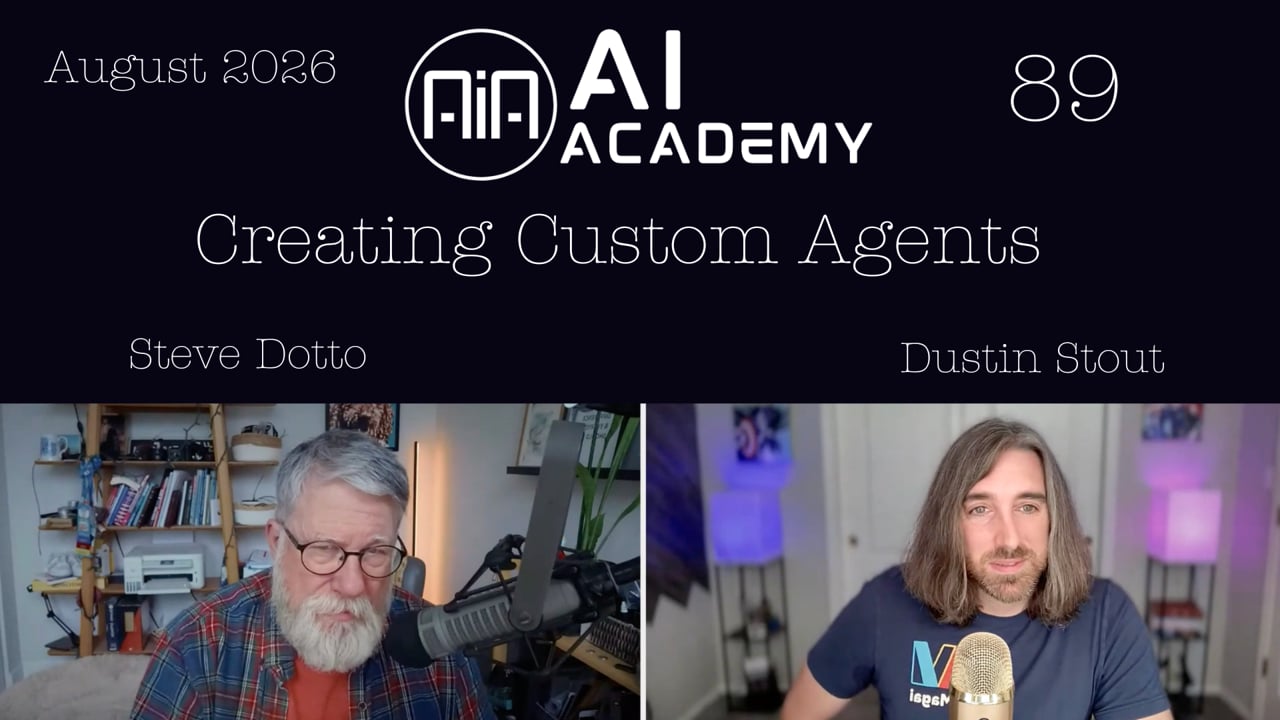
The session is hosted by Steve Dotto with Dustin Stout, who built Magai. The page demonstrated here was made live in Canvas, and the questions at the end cover privacy, limits and what is coming next.
0:00 Welcome to the Academy
The Academy runs every week, or every other week in summer. Dustin and Steve pick one thing happening in AI, show it on screen and answer as many questions as they can. If you are new, every earlier session is in the dashboard under the AI Academy Archives. There are around 80 of them, and they are a good place to start if you are new to AI.
2:51 From document editor to canvas
Letting AI write code has real dangers, and it eats usage because code is many more words than the page you see. Inspect any web page and you will see how much text sits behind it.
Magai's recent changes let you create rich pages and small utility apps. Here is how the feature got there:
- From the first day, Magai had a document editor. You typed headings, bold and italic text, and exported to DOCX or PDF, much like Word or Google Docs.
- In V3 the AI could write into that editor for you. Dustin dictated ideas for a blog post and the AI wrote it, added backlinks and generated images. He then downloaded it or pasted it into WordPress.
- Because it now holds more than text, the document editor became the canvas.
- The canvas can now write and preview code. Dustin used it earlier to build a webpage that taught the lesson on AI costs, and a small calculator that tells a prospect what Magai would cost a team of 20 people.
6:05 Code, preview and version control
Open a canvas and look at the top row. It shows the file name, which you can rename, and two buttons.
- Preview renders the HTML as a normal web page.
- Code shows everything the AI wrote. If you know what you are doing, you can edit it here, then click Preview to see the result.
Three more things matter:
- You can create several canvases in one chat and move between them with the navigator at the top.
- Version control keeps every iteration. The label (V10 in the example) opens a list of versions, so if the latest change is worse you can return to an earlier one and carry on from there.
- The new Share button is covered next.
9:34 Publish a canvas with Share
- Click Share.
- Turn on Publish Canvas.
- Copy the short URL it gives you.
- Send it to anyone. They see a regular web page, with a small "Made with Magai" logo in the bottom right corner that links to Magai.
You do not need a hosting platform or any knowledge of moving code to a host.
One limit for now: you cannot attach your own domain name. The address will always be a Magai one. Custom domains are planned. Until then, use a URL shortener to give people a link that looks like your brand. It will still point to the canvas address.
12:17 Embed videos, forms and calendars
The most useful test was embedding. Most pages carry something embedded, such as a YouTube video, an opt-in form or a booking calendar. You hand the embed code to the AI and it places it in the page.
Dustin built a page that teaches itself. It explains what Canvas is, then shows each type of embed live and prints the code beside it.
- A YouTube video plays on the page. Dustin only asked for "just embed a YouTube video, any YouTube video", and the AI chose a Rickroll.
- A ConvertKit opt-in form was pasted in from the email system.
- A booking calendar and Steve's automated webinar form also rendered as they would on any other page.
The code behind a video embed is a simple iframe and Canvas renders it directly. The AI also suggested Calendly, Google Maps, Spotify, Loom videos, Twitter posts, Notion pages, Typeform and GitHub as further embeds.
One caution: forms display correctly, but submitting them is not working yet. It is a safety guard on Magai's side. Dustin said the developers should have submissions working within a day or two.
14:31 Why publishing used to be the hard part
Steve gave a real example. During his last boot camp launch, Leadpages changed its billing and broke his old grandfathered account, and there was no one to call. He opened Claude, pasted in the HTML copied from Leadpages and rebuilt every landing and registration page in about five hours.
Then the pages were stuck on his computer. His web friend had to remind him how to use FTP, and he had to download an FTP client and upload the pages and resources himself. That is where most people get stuck.
With Canvas, the page is published directly and Magai takes care of the hosting. A mini lesson used as a lead magnet is one example. Steve compared it to using Evernote as a publishing platform for years.
18:38 Build the landing page prompt by prompt
Here is how Dustin built the demo. Each step created a new version.
- Start with a basic prompt, using Claude:
Create a basic Magai landing page with just a hero section featuring a YouTube video embed.
- Version one had no branding. Dustin keeps a saved prompt called "brand style", with brand colors and logo details. He pasted it in and got version two with the logo and colors.
- To make the page easy for non-coders to change, he asked:
Mark in the code where I could switch out the embed for a different one manually.
The code now has an obvious comment marking the YouTube embed. To swap the video you paste a new embed code there.
- He copied a generic opt-in form embed from ConvertKit, pasted it in and asked:
Can you please add the following embed code so our email opt-in form will show?
- The form looked bad. He wrote:
Hey, the form is off center, and the button isn't very visible because it's dark. How can we fix that?
- The AI fixed it. Because it already had the brand and the whole page in context, it styled the form to fit. He also tried just saying "Fix it" and it worked.
- Once he decided the page would be a lesson, he asked the AI to restructure it around different embed types. He pasted in his booking calendar code and the AI integrated it.
22:04 Switch to a cheaper model for code
At step 5 Dustin changed models. Claude is great, but on a long coding conversation it gets expensive because the code keeps growing. Claude is roughly twice the average model on usage. DeepSeek, even the Pro version, is a small fraction of the average.
Since he was writing code, not elegant prose, DeepSeek was the right choice. Magai is looking at ways to show which models suit which tasks, using rankings from Open Router, and DeepSeek ranks among the better and more cost effective coding models. The switch kept going in the same chat, and the output was still what he hoped for.
26:14 Why this changes what you can build
Steve pointed out that earlier Academy sessions mostly helped with things you could already do yourself, such as scripts, graphics and blog posts. AI only made them faster.
A landing page, an interactive mini course or a well-designed form that beats a Google Form is different. Most people could not make those before. Now you can, and you may no longer need a landing page subscription or a separate web host.
28:36 Is DeepSeek safe to use
A viewer asked whether DeepSeek, a Chinese company, is safe. Dustin's answer:
- Magai requires every model it includes to follow strict privacy rules. They can never train on users' prompts, inputs or attachments, and can never sell user data.
- DeepSeek is open source. Anyone can audit its code, download it and host it themselves.
- Magai uses a private hosted version of the open source model on US-based servers that Magai controls. That means it can check whether the privacy policies are being followed.
- Magai will only add a model if it can ensure the privacy and security of user data.
31:15 What canvas pages can and cannot do
Brad asked whether you can import an existing website to avoid host fees. No. Canvas is for simple, single web pages, not entire websites. A full site needs a database and a content management system, which is what WordPress or Squarespace provide. Think of a canvas page as a PDF with embeds: simple landing pages for a specific purpose.
Alex asked how people find a page if you have no website. They do not find it on their own. These pages are not discovered in search and are not for Google or AI to recommend. You send people to them, as with an opt-in form for a webinar, a lead magnet, a learning page, an informational page or a contact page. Links such as PayPal links should work, since a link is just a click that goes somewhere else.
33:18 Pick the right model for the job
Tammy asked why not use DeepSeek for everything, since it costs less. For code, Dustin probably will. But DeepSeek is not great at copywriting, so he gets copywriting done by Claude. It is also less creative than a GPT model, though it is very efficient at code.
Using one model for everything is easier mentally, but results suffer because models are not equal. Knowing what each is good at tells you which to pick.
35:21 Chief of staff agent question
Michael asked whether you can make a "chief of staff" persona that is your main contact and calls your other personas depending on the task. Not yet. Sub-agent ability needs a lot of infrastructure, and Magai is building it.
Until then, you can create the chief of staff persona to build the plan, then switch personas yourself for each task and send that task off. Dustin estimated three to four more weeks, after about six weeks of work so far, before agents can use other agents. Personas will become agents, able to use all of Magai's features, including creating and updating workspaces and sending out sub-agents. It is a feature for power users.
37:42 Prototypes and custom pitch pages
Steve asked if Canvas is a good way to build a proof of concept site for a new business, share the link with mentors and beta customers, and later move it to hosting like Bluehost. Yes, it works for quick prototypes, demos and pitches.
Dustin's team uses it for Magai landing pages. Instead of mocking pages up in WordPress, a new landing page designer will build the mock-up in Magai and use it as the first version of each page. Edits are much faster than in WordPress.
Steve's idea is to keep a generic page with your product description and pricing. Before a customer call, edit a copy with their details, logos and the specifics of your pitch. Share that URL instead of a PDF. They get an interactive page they can browse and pass on to others, built from your existing document.
40:58 Connecting your own MCP server
Steven asked whether he can connect the MCP server his CMS creates for each site. Not yet, but Dustin expects it at the end of this week or next. Right now, only pre-installed connectors, such as Gmail and Google Docs, are available. Soon there will be an interface for connecting any MCP server for an app you use.
For new users like Tammy, the latest video on the Magai YouTube channel is a full basics walkthrough of the app.
Your next step is to open a chat in Magai, ask for a simple landing page with one embed and publish it with Share. When the conversation gets long, switch to a lower cost model and keep going.
Full transcript
- 0:00
We are back for another episode, another scintillating episode of the AI Academy. Steve Dotto, along with Dustin Stout. How the heck are you doing, Dustin? I'm doing great, Steve. Good. Summer is, it's blazing along. Kids have their last week of summer school, and then on Sunday we're all headed to Vegas. You're heading to Vegas?
- 0:21
Yes. On Monday, I'm hoping to go to the lake. Very different experience than going to Vegas. Very different experience. Now- A lot more mosquitoes ... I will say we wouldn't normally pick Vegas for the summer. Yeah. That wasn't our intention. But this past April, I was invited to go guest appear on Brad Lea's podcast again.
- 0:46
Yep. And he recorded. He's in Vegas, and so I had to go out to Vegas. We had a whole family trip planned for that April, spring break. We were supposed to go for spring break. My son, my oldest son, got sick the night before we were supposed to leave. He had 105-degree fever. Oh, yeah, I remember. Yeah. So we had to cancel that whole trip. I still had to drive down myself for the podcast. Yeah, you had to go and do it yourself, yeah.
- 1:09
Right. But we had to move the trip, and so the only place that fit in our schedule, with my wife being a teacher and the kids being in school, was summer. Yeah. So we'll be going to blazing hot Las Vegas for one of our summer trips, and then the week after, we will get home for about four days, I think, and then we're headed to the beach. Good. That sounds good as well. Well, listen, we've got quite a few new people in today in the AI Academy because we're in the middle of a boot camp as well.
- 1:37
So a lot of people, this will be their first visit to us here in the AI Academy. So for the newcomers, typically speaking, every week here, or during the summer, every other week, Dustin and I look at some aspect of what's happening in the online, in the AI world, and break it down for you to show you demos and answer as many questions as we can.
- 2:00
Trying to foster best practices, comprehension of what we should be doing, how we should be taking advantage of AI, because it's a journey that's new to all of us. How long ago did you start building your app, Dustin? Is it two years now? Magic is now three years and four months old. Okay.
- 2:23
I started building it in end of January 2023. So if you think of the timeline of ChatGPT came out November 2022, two months later, I started building Magic. Okay. And when did you release your first version? Eight weeks later. So March 31st of 2023. Wow. Okay. Well, listen, what are we going to talk about today?
- 2:51
Well, today I thought we'd... We've talked about this idea before, the idea of having AI write code for us, and build small webpages or small web apps, and we talked about that sort of outside of Magic, because at the time, Magic didn't have that capability. There's a lot of danger in building and having AI write code for you, and it tends to consume a lot of usage, a lot of energy, because- It does ... code is a lot of words.
- 3:22
It's many more words than you see visually. When you look at the code, it's just a lot of text. If you ever want proof of that, inspect a page and take a look at it. Yeah. Inspect the page and just see how many words are there. Odds are it'll just look like "The Matrix." You're just looking at a bunch of code. Unless you're someone like me who's worked with code for well over a decade. So recently we introduced some changes to Magic that would allow you now to create webpages, to create rich pages that
- 3:57
you can use for different purposes, and maybe small utilitarian apps. But I wanted to take everyone through sort of the basic journey of where this came from. Because from day one, when Magic was first created, and I'll start sharing my screen now. Let me share the right screen. There we go. From day one, one of the features that we had built into Magic was the document editor. If you remember, Steve, it was that one magical thing that we were doing an AI Academy about one day, and you're like, "I didn't even know that existed."
- 4:34
But from day one, we've had this document editor. You can open it up and you can write text inside of this document editor. And for the longest time, it was just that. It was just rich text. You can type it out yourself. You can do headings, bold, italic, anything. Just like a Microsoft Word or a Google Docs. You can write your documents in here. You can export and print those documents.
- 4:58
You can download them in a DOCX or PDF format. And that's all it was for a long time. And then we introduced V3, and the document editor got a little bit more full-featured, where now instead of just you typing in the document alongside your AI, the AI could actually do it for you. So let me bring up an example here of the AI who helped me write a blog post, through me dictating a bunch of things to it.
- 5:31
And then it actually generated some images. So now rather than just a rich text document, now you've got media elements, now you've got images that the AI can actually do for you. I didn't write any of this document. The AI wrote all of that into what we call the canvas now. We changed it from just being a document to now a canvas. It wrote all this for me, it did all the backlinks, it inserted images, and now I can easily download this as a DOC or PDF, or I could copy and paste it into WordPress to publish as a full-on blog post.
- 6:05
But we didn't stop there when we evolved the canvas. Now, the canvas can also write and preview code. So one of the first examples, one of the examples that people may not have noticed is the last time we got together, I talked about costs, AI costs. Mm-hmm.
- 6:26
And let me find the one that I did. Is it this one? No. Let me find it. AI cost breakdown. So, a couple weeks ago when we met together, I had this little webpage that helped me teach the lesson on what AI costs and how to understand the costs involved with AI.
- 6:53
It was a webpage built by Magai, and I had the ability to go full screen here, which you probably might not see. Let me refresh the page now. But essentially, AI made this beautiful webpage for me. I just dictated it with words. And this is a huge unlock, and I've even created small calculator tools for myself.
- 7:21
So when somebody asks me, "How much would it cost for my team to get Magai?" I built a little calculator here for myself. I can say, "Well, they have 20 team members, all at the standard view." I can tell them exactly what it's going to cost them. Little utilitarian app. But as of last week, we implemented something in Magai that is kind of a big deal, the next evolution of this ability for AI to write code and produce apps for you. And let me open this one for...
- 7:58
Here we go. So I'm going to open up the canvas here, and one thing I want you to notice is the top row here. So the top row of the canvas, you'll notice the name of this file or this page that it created is Magai Landing Page. Very generic. I could edit that if I want to and call it something different.
- 8:21
But you've also got two buttons here. One is code and one is preview. So right now we're looking at the preview, which means it's rendering that HTML into something visual for us, how it looks on a normal webpage. But if I click on code, I see all the code, and this is all what the AI wrote, and when you inspect a page on a website, this is what it looks like.
- 8:46
It looks like a bunch of code. And I can actually go in here and I can edit this code. So if I know what I'm doing, I can go in here and I can make changes to all this code if I want to. And then I can hit the preview button, and I can see the effect of all those changes on what we call the front end of things. Now, the other thing here is you can create multiple canvases.
- 9:10
So you can have multiple documents, multiple files, multiple HTML pages, and you can cycle through them using the navigator up top here. Also, we have what we call version control. So you'll see right here it says V10. If I click on that, you'll see all the different iterations that I've made, all the different changes that the AI's made.
- 9:34
So if this last one wasn't what I wanted, I can always go back to the previous version because I like that one better, and I can keep going from there. But there's a new button that we just introduced called the share button, and this is wonderful because when you hit the share button, you'll get a little option here that says Publish Canvas.
- 10:00
When you turn that on, you get this tiny URL here that you can then copy and then give to anyone, and anyone on the internet will be able to view that canvas that you created as a standalone webpage. Now, let me get the sharing correct here. Let me share my entire window instead of just here.
- 10:25
Forgive the infinite window here. I'm going to paste in that canvas URL. Here it is. And we're going to navigate to this webpage that I created. And for the person that you sent this URL to, it just looks like a regular webpage. Nobody would know the difference between this is an AI-generated canvas or this is an actual webpage.
- 10:54
And you'll notice that in the bottom right hand corner, there's just a little icon, a little Magai logo that says Made with Magai, and a link for the looker to go create their own Magai account. But this really unlocks a whole host of possibilities. Because now you don't need to have a web hosting platform.
- 11:17
You don't need to have a lot of knowledge about how to take your code that the AI gave you and then go port it over to some hosting company or some embeddable thing. You can build full feature-rich websites right with the AI. And so let me just close this out real quick.
- 11:44
I wanted to go through some of the things that you can do with this. Now, there are limitations, of course. This isn't a fully featured website builder. This isn't a fully featured hosting platform. Right now you can't add your own domain name, so the URL on the top will always look like a Magai domain. We will eventually allow you to bring your own domain names and attach them But for now, you'll have to use short URLs or URL shorteners to create your own URL links, but they'll always link to the main Canvas URL.
- 12:17
But the really exciting thing, and the thing that I was actually running around testing right before we went live here, was to make sure that this one thing worked, and that's embedding content. So, a lot of web pages that you visit usually have something embedded in, whether that's a YouTube video, or let's say it's an opt-in form, or maybe a booking calendar.
- 12:46
The beauty of how these are built is you can actually give those embed codes to the AI, and it can build it right into the page. And so I've got this YouTube video that will play no problem. You're going to Ricky roll us, are you? And here's the funny thing, Steve. I did not tell it what YouTube video to get. I literally told it, just embed a YouTube video, any YouTube video, and this is the one it pulled up. So my AI actually Rick rolled me.
- 13:17
But then I've got ConvertKit is what we use for our email marketing system. I went and grabbed my ConvertKit opt-in form, and I pasted it in. And let me show you the- So just out of curiosity, just a minute there. We were seeing the HTML underneath it. We were seeing the embed code, the text of the embed code. Is that only in this preview mode on your browser? On your- Yeah. So this, I built this page to actually be a lesson.
- 13:44
Okay. So you'll see it explains here, what is Magai Canvas? Canvas is a built-in editor, blah, blah, blah. And then it's just demonstrating the different types of embeds. So the video is embedded and it's live on this page. The code is just a simple iframe, and Canvas renders it directly. And then this is just it teaching you what that code looks like. And it does that for every example.
- 14:07
Because I wanted this page to sort of serve as its own lesson. And let me pop over here. So you guys can actually explore this page yourself. Forgive the... Oops. That's not what I wanted. Stop sharing. There we go. So let me give some context here.
- 14:31
A little bit, because I've just done this. Oops. We lost Dustin. So, oh, there he's back. Sorry about that. You wanted to share that in the chat. Is that what you're going to do? There we go. Got it. Let me give you a bit of context on this, Dustin. Just a little bit of, I think the timing has always comes together. The last launch that we did of the Building Your Online Business Bootcamp, just as I was building all of my landing pages for it, Leadpages went through a shift. And they went through a change in their billing.
- 15:04
And because I was grandfathered in with a very old account, it messed up my account completely. Oh, no. And Leadpages doesn't have good customer, doesn't have one-on-one support, so I couldn't reach out to anybody to fix it. So I was basically, on a Thursday evening trying to finish off my landing pages, screwed because I wasn't able to use it.
- 15:28
So I thought, okay, I'm going to just go and I'm going to build a page. And I have a Claude account as well. And this was before I knew I could do it inside of Magai. So I just went to Claude and said, "Can we rebuild these pages?" And Claude said, "Absolutely. Give me the HTML code." So I copied the HTML code out of Leadpages, send it into Claude, and we then rebuilt my landing pages and my registration pages completely from scratch over the course of about five hours.
- 15:57
Nice. And it did a freaking brilliant job. But- Yeah ... now I had these pages built and they were all locked into my computer. Mm-hmm. So now I had to get them- Now you didn't know where to put them ... I had to get them published. So fortunately, my web guy is a friend as well. We have a web server. But I haven't done anything inside of WordPress in four years. So I had to call Dave and said, "How do I publish this page?" He said, "Send them to me." I said, "No, no, no.
- 16:30
I want to be able to do it myself because I want to be able to edit them and modify them and I don't want to send it to you every time that I fix a typo. I want to be able to do it myself." He says, "Do you remember how to FTP, Steve?" And I went, "Oh, s**t. You got to be kidding me." So I had to download an FTP client, and I had to go in the way back machine, like 10 years.
- 16:53
But then I set it up, and then I FTPed, I uploaded my web pages and all the resources and built the pages. And it's working brilliantly. And I told Claude where it all is. So I built a system which is going to save me my... Obviously, I'm not going back to Leadpages. I don't need to. I don't need it for anything anymore. But the challenge for most people are going to bump their heads when it comes time to publish that page.
- 17:20
Yeah. You bypass that by giving us the ability to publish the page directly, and you're taking care of basically the hosting. So think about this. If you were to create a mini lesson as a lead magnet for your product, instead of having to worry about where you're going to publish it, if you have a URL shortener, you can make it look like your branding, but Magai is going to host it for you.
- 17:47
This is what we used to do in Evernote. We used to create pages in Evernote, lessons. We used to use it as a publishing platform, and then Evernote hosted it, but we would send it out. This is significant. It's going to be a very cool product, Dustin. It is a big deal. And we haven't really marketed it yet. Haven't had the time to I've got some great examples of where the value is that I can share with you that you'll be able to use. Because this is exactly what we did in Evernote for years. We used Evernote as a publishing platform.
- 18:16
Awesome. Yeah, I'd love to hear them. And I'm still exploring this myself. I told Steve right before I jumped in to start the- ... Academy today, I'm working with my developers to push out some of these changes to make them possible. But I wanted to go into a bit of a demo, too, to show you exactly how I built this and exactly how easy it is.
- 18:38
Excellent. So let me share my screen again here. Forgive again the infinite window that's going to happen real quick. Okay. We'll flip over. All right. So I started with a very basic prompt because I was still developing this lesson in my head. And so the first prompt was create a basic Magai landing page with just a hero section featuring a YouTube video embed. Okay? Started with Claude Opus 4.8.
- 19:09
And because we have version control, I can go back to that version one, and I'll show you exactly what that first version looked like. Okay, so here it was with the Rickroll. Just a simple webpage, right? And then I realized, oh, well, shoot, it doesn't have our branding because I didn't hand that over. And so I have a simple saved prompt here in my saved prompts that's brand style. I literally just copy it, paste it in, and then I have one that includes our logo. So I literally just pasted that saved prompt in with all our brand
- 19:44
colors and our logo information. And so Claude updated everything and gave us version two. So you can see version two has our logo, our colors, still that basic page. So I'm thinking about in my head, how do I make this demonstrable for people who don't know code?
- 20:07
Maybe it would be a good idea to tell the AI, I want it to mark in the code where I would switch out that embed code for the YouTube video. If I wanted to change the video, where would I do it? And so mark in the code where I could switch out the embed for a different one manually. So it did that, and that gave us version three. And we can show you here, if I open up the code, you're going to see a big obvious spot in the code.
- 20:39
Let's see. Where is it? Maybe that wasn't version three. Was it version four? Ah, here we go. Yeah. So big spot where it said, "YouTube video embed. Swap the video here. To change the video, replace the ID," blah, blah, blah.
- 21:03
But really you can just take this right here and paste your YouTube embed code. So that was nice. And then I wanted to see if opt-in forms would work, and so I went over to ConvertKit, and I got the opt-in form for one of our generic opt-in forms, and I pasted that embed code in here, and I said, "Can you please add the following embed code so our email opt-in form will show?"
- 21:30
And Claude did that. So that would've been version five, I believe. And there we go. We got our ConvertKit opt-in and see what that looks like. And it looked real bad. And I was like, "Oh, no. It looks terrible." So just told the AI, "Hey, the form is off center, and the button isn't very visible because it's dark. How can we fix that?" Now, at this point, I switched over to DeepSeek V4 because I was using Claude, and Claude's great, but the other thing about Claude is it's expensive.
- 22:04
So the longer this conversation gets, the more code that we're dealing with, I'm aware that it's going to get more and more costly for me. But in case you didn't know, DeepSeek is a much lower cost model. We're talking fractions of the cost. If I compare Claude Opus 4.8, which is what I was using, it's about two times the average usage.
- 22:30
So we're talking about baseline models, it costs about twice as much. Whereas if I go to DeepSeek, DeepSeek Pro is a fraction of the average model. Even the Pro version. 0.087. And you're not writing language, you're just doing code, so it doesn't matter if it's completely elegant.
- 22:53
Yeah. And we're trying to find ways that we can build in this how do I know which one's good at what? There is a company called Open Router who does a lot of evaluations of which models are good at what, and it ranks them, and we're trying to find a way we can build in some of that ranking and inform people. But suffice to say, they've found that DeepSeek is probably one of the better and more cost-effective coding models.
- 23:20
So I switched over to DeepSeek to save on cost, knowing that it was still going to be a great output. So back to our narrative here. Form's off center, fix that. So it thought and thought and thought and broke it down, and then it did exactly what I hoped it would do. We'll go to version six here.
- 23:43
And it styled our form. Look at that. Just by saying, "Fix it." Because it already had the context of our brand, it could see the rest of the page, and it can style that form a way that fits the rest of the page. Now, an issue I found here is that the form wasn't actually working, and I talked with our developers, and that's actually a safety guard that we have in place, and they're going to be fixing that soon so that forms will eventually work.
- 24:12
Give us a day or two to get form submission working. So I spent some time trying to troubleshoot that and realized, oh, it's just a setting that we have, and we need to have our developers fix it. So I gave it some of what was happening in the console, and then eventually figured out. So now here's where I kind of switched gears and I was like, "Oh, this is going to be a lesson. I'm going to teach this in the AI Academy." And so I had it structure the page completely differently And that's when we started getting into these full-on tutorial, having different types of embeds.
- 24:47
So we got our forms here, and so now we'll transition back over because that's where some of the really cool stuff is. So again, we've got our videos, our forms, but also booking calendars. So I don't know how many of you have used booking calendars, but if you wanted to create a landing page that included your booking calendar, you can absolutely do that with AI. I just pasted in my embed code and DeepSeek integrated it perfectly into this page.
- 25:14
It works exactly as it would on any other webpage. And then Steve gave us his automated webinar embed code. I tried that in here. Steve, it works exactly as it should. Now, because it's a form, it's not going to submit currently. Again, my developers are working on allowing- It's okay. Don't go to it. The webinar is kind of dated anyway, so Cool. Yeah, but eventually the idea is it will work perfectly inside of this embedded page.
- 25:40
And some other ideas that it came up with, so Calendly, we already did that. Google Maps, Spotify embeds, Loom videos, Twitter posts, Notion pages, type forms, GitHub for the coders. And yeah, so all kinds of ideas that you can now build right inside of Magai and grow your business through super well-designed landing pages without all the hosting and technical overhead that would normally come with all of that.
- 26:14
So given a bit of context here, we have spent a lot of time here in the AI Academy talking about creating content, writing blog posts, creating videos, generating graphics that we can use. We've looked at a lot of different things, but we haven't spent much time looking at building real business assets like webpages, opt-in pages, small little apps that allow us to interact with our audience.
- 26:40
So this is the first kind of foray that we've gone into that. And it's ironic that just as you guys are developing this capability into Canvas is just when I've been doing it myself, just in the line of fire as we've launched this last boot camp. But this is, I think, a fairly dramatic departure in the evolution of AI from into areas which AI helped us.
- 27:10
In the past, we could write a script ourself. It's just AI helps us write a better script more efficiently and helps us repurpose it. But it was all stuff that we could have brute forced or just spent cycles and time doing ourselves. We have the skills. Every one of us has the skills to do most of what we've done in the past. We can look into clip art. We can find a nice graphic that we could use. We could publish it. What most of us didn't have the ability to do is to create a landing page, to create a mini course that's an interactive course that we can publish, to create a well-formatted, well-designed form for people to fill
- 27:46
in that looks better than a Google form, right? We didn't have those abilities. This translates into AI now giving us the abilities to do things that were beyond our ken before. Yeah, absolutely. Very exciting. Making the technically difficult more accessible.
- 28:12
And saving us money, ultimately. I don't need Leadpages anymore. You might not need to have a web host, which we'll talk about. I know there's some questions. Let's jump in to answer a few of the questions. We had a comment, I think it was a plea of concern from Elva saying, "Isn't DeepSeek the Chinese company?" All of the press that- Yeah.
- 28:36
Yep. Yeah. So it's been a couple years now, I think, since DeepSeek came out, and it is a Chinese-owned company, a Chinese-built AI model, and some of the concern out of the gate was always privacy. The Chinese government is rumored to be spying on its people, and so the concern is, well, are they spying using their AIs? Is their AI just feeding China all my data?
- 29:03
Now, Magai's premise has been, and always will be, that whatever model that we incorporate, they must agree to strict privacy rules. They can never train their AI models on our users' data, their prompts, their inputs, their attachments, and they can never sell our users' data in any way, shape, or form. The relationship we have with them is our users send the request to their model, their model processes it, sends it back to us, we store it, they discard it, and they are not allowed to touch it or view it.
- 29:38
With DeepSeek, in particular, we waited until they had what's... The term is they've open sourced their AI model. And what that means is they've essentially put all the code out and made all the code public, unlike OpenAI or Claude. You can't look at the code of their models, how their models work. They're closed source. You can't see their proprietary AI model code structures. But with DeepSeek, they've open sourced it, so anybody can go on and audit the entire code
- 30:15
base of DeepSeek. They can download it themselves, host it on their own servers, and make sure that there's no government entity using that information or siphoning that information going elsewhere. And so that's what we did. We got a private hosted version of the open source version of DeepSeek, and they are hosted on US-based servers ... that we control, that we know whether or not it's being misused. We can know whether or not they're obeying our
- 30:50
privacy policies. So, that's the only way that we would incorporate any model is if we can ensure the privacy and security of our users' data. Okay. So I'm going to start answering your questions. If you have any questions, post them in the question forum here in the question chat. Michael, you asked a question about personas. We'll get to that at the end.
- 31:15
I want us to kind of stay on the theme right now as we're talking about the website stuff. So the first question up here is Brad. "Regarding the website builder in Canvas, can you import an existing website to avoid cumbersome fees from a host?" So there are limitations here. So this isn't a full-on website. We're not talking pages and sub-pages and content management.
- 31:39
We're talking simple web pages, singular web pages. The landing pages. Not entire websites. Because what you need then is database. A database is a separate code entity the way that it stores information and data in very organized manners. That's a whole content management system that you need programs like WordPress or Squarespace where it has all those features built in.
- 32:08
So no, you can't import a whole website if it's a very complicated, in-depth website. Think of it as a PDF with embeds. Right. Yeah. Very simple landing pages for explicit purposes. So next up, and this is important. Thanks for the question, Alex. "I'm having a hard time understanding not needing a host for a page.
- 32:31
If I don't have a website, how does anyone find what I've created?" So there's limitations and shortcuts. Yeah. So the idea here is you'd be sharing this out. This is a page that you actively send to people or send to you. It's not going to be discovered in search. Right. Yeah. It's not for Google to find you, not for AI to recommend you.
- 32:55
You have a purpose for this page, and you are going to be actively promoting it for people to send people there. So it's an opt-in form for your webinar. It's something along those lines. Lead magnets, learning pages- Yeah ... informational pages. Yep. Yeah. Yep. A contact. Yeah, that sort of stuff. So, excellent. Next up.
- 33:18
Oops, that was the one that I just asked. Tammy was asking why you don't just use everything in DeepSeek because it's so much less expensive. Yeah, when it comes to code, I probably will. My reflex is always Claude because I love Claude so much. But once I realized, oh, yeah, I should be doing this in DeepSeek, I just switched over. But DeepSeek is not great at copywriting, which is why I tend to get all the copywriting heavy lifting done by Claude.
- 33:49
DeepSeek is also not as creative as maybe a GPT model. But it's really, really good and efficient at writing code. And so knowing the difference between what each model is good at really helps with knowing which one to pick and when. Because what you want to avoid is just using the same model for everything. It may be easier mentally, less mentally taxing, but you're not going to get the best results because they're not all created equal.
- 34:22
Tammy's also asking, do PayPal... Oops. Oh, okay. Interesting. Do PayPal links, will they work? Links? Yeah. I'm sure they'll work. Links are fairly easy. It's just a click here and it goes to somewhere else. Yeah.
- 34:49
So there's a couple of questions that people have about finding some of the previous lessons that we've had here, some of the previous sessions. Inside of the dashboard there, there's something called the AI Archives, the AI Academy Archives, and all of our previous AI sessions are there. I think there's 80- Oh ... believe it or not. We've done a lot of them, Dustin. So they're all there available to you folks that are looking for that information there. All right. Rolling back, we're going to jump, this is kind of a question more from previous episodes.
- 35:21
Michael's asking, "Within Magic, can we create a chief of staff persona that would be our primary persona that we interface with and have it interface with the other personas that we have depending on the task that we are trying to complete? If so, can you describe how you'd go about that?" Yeah, what Michael's asking is can we have a persona that then goes and spins up sub-model or sub-tasks, where it is sort of calling on other personas to do very specific tasks.
- 35:56
Right now we don't have that ability. That's new. We don't have the sub-agent ability. Requires a lot of infrastructure. We're building it obviously, because we're building all the things. But what you would instead do is you would sort of create that chief of staff persona and almost in a way, have it build the plan for you, and then you would have to manually change personas for each task and send that task off.
- 36:33
I would say we're about, I want to say three to four weeks out from something that is more agents using agents, because that's essentially what we're talking about here. We will be transitioning personas into agents. They will no longer be called personas. They will be called agents. Oh.
- 36:56
And then they will have the ability to essentially use all of Magai's features, creating workspaces, updating workspaces, sending out sub-agents to do specific tasks. But that's been probably about six weeks of work so far, and we've got probably about three to four more weeks before that's possible. So effectively, that's your job until...
- 37:21
That's the job of the human in the process until the... And I imagine this is going to be an evolutionary period of time. Yeah. It's a very complicated thing to do- Yeah ... especially considering most people don't have that level of AI proficiency to even know that's a thing they should do.
- 37:42
Mm. So yeah, it's going to be a great one for the power users. Steve's saying, "Would it be fair to say..." We're talking back now about your website canvas tool. "Would it be fair to say that this would be an excellent way to build a website as a proof of concept for a new business, and then you can share the tiny URL with mentors, beta customers, so that you can export the site into actual hosting, like Bluehost?"
- 38:08
Absolutely right. Yeah. This is a great way to build prototypes, quick prototypes, demos, even pitches. One way that we're using it internally is we have a lot of landing pages that we want to build for marketing purposes for Magai, and the content management system we use for our main website is WordPress. And rather than having my newly hired landing page designer go in and just make WordPress pages and do mock-ups that way and just make iterations
- 38:42
there, we're actually going to be building the mock-ups in Magai, using Magai, and then using that as our sort of MVP for each landing page and making edits there because it's much, much faster than having to edit inside of WordPress. Imagine this. Imagine that you've got a product that you sell, your description, and you've got a generic page that has your pricing and your information. And you've got a customer call with a customer, and what you do is, before you have that customer call, is you
- 39:20
working through the AI tool, you take and modify that page, do a version of that page that's custom for that customer with their specific details, their specific logos and graphics, the specifics of whatever you're pitching to them, and then in your call, that's the URL, that's the document you share with them rather than a PDF document. So they have an interactive webpage that they can then share with others, they can look at, they can browse through. Imagine the impact of having an interactive document like that that's customized that you'd share with them, and it would be very easy to do because it's just a version
- 39:53
of your existing document. That's where this suddenly becomes, I think, a terrific marketing tool. You like that idea, don't you, Dustin? I love it. Yeah, I love it. Okay. I think that kind of covers it for the day. I think we're in good shape. I don't see any other questions coming right now. You've got a few seconds before we wrap things up. Dustin, thank you so much.
- 40:19
We're going to be off for a week, and then I think we're back for a week. I'll put the schedule in. I'm not sure if that's going to work in your schedule, but hopefully we'll be back in two weeks with our next AI Academy. I'll double-check that. And folks, yeah, for those of you that haven't gone through the AI Academy archives, there is gold in those archives. There's so many good trainings. You have to sometimes farm a bit or mine a bit in order to find it. But the stuff that we've gone over is, especially if you're new to the space of AI, there is just some terrific content there as well. Oh, wait a minute. We do have one comment here.
- 40:58
Steven says, "My CMS system allows us to create an MCP server for each website we build. Can I connect that MCP account to my Magai account?" Very soon. It's either going to be end of this week or end of next week that we will allow users to connect any MCP that they want. Right now, our MCP integrations are just the ones that we have already pre-installed.
- 41:19
So we have something like 130, 140 different connectors, like Gmail and Google Docs and all that stuff. But hopefully end of this week, maybe end of next week, we'll have a whole interface where if you have an MCP server for an app or a program that you want to use, you can connect it to Magai, opening up endless possibilities there.
- 41:43
So Tammy says she's brand new to Magai. Do you have a starting point video? Yeah. Head to our YouTube channel. The latest one on the channel I created is a full-on basics walkthrough of the app. Excellent. And that is that. I'll even put the link in here. Dustin. YouTube. Don't let your kids become gamblers, okay?
- 42:07
Oh, no. We're just into the shows. We just go for the shows. Good stuff. Good. Oh, by the way, for those of you interested in theater, I think next week they're releasing, there's going to be a limited play of Hadestown, the pro shoot that they did in New York. I don't know if anybody's into musical theater here as Dustin and I are, but Cineplex, there's going to be a very limited run of Hadestown, which I encourage you to get tickets for.
- 42:35
Fricking brilliant show. I saw it in London a couple of months ago, and I was gobsmacked by it. And so the New York version is going to be available for people to view. So I would... Letting everybody know about that. I'm telling you about it, Dustin, because I know you want to take your family to that. All right. With that, folks, I'm going to call it a day. Everybody, have a great week. Till next time, have fun storming the castle.