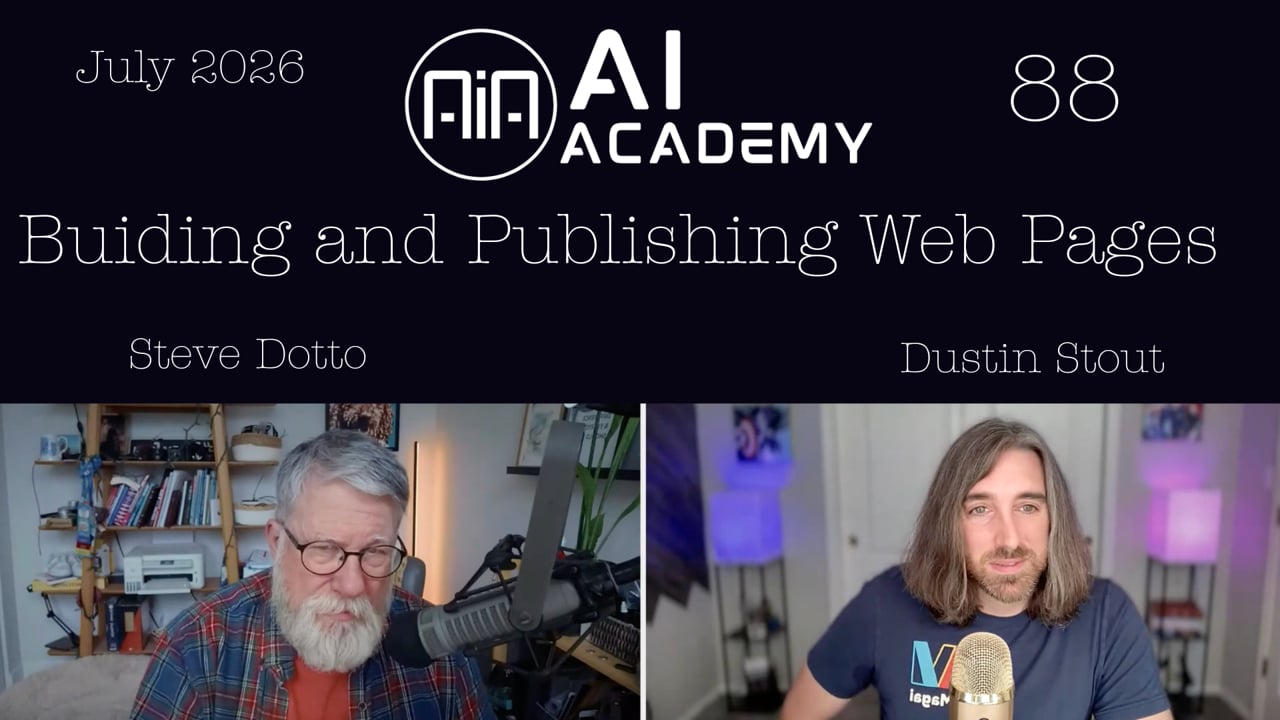
Session 10 · · 57 min to watch · 10 min to read
Supercharge Your Workflow with MCPs
Connect any tool that offers an MCP server to your Magai agents using an endpoint, a description and an authorization header. Then put the agent on a schedule so it does the work for you.
What you will learn
- Open Manage integrations and use the custom tab to add an MCP
- Paste the server endpoint and describe when the agent should use it
- Enter an authorization header as Bearer, a space, then your token
- Search the tool name plus MCP to find its setup guide
- Ask an agent to walk you through setup from a screenshot
- Schedule an agent with a short prompt so it works while you sleep
The session as a written tutorial. Each section’s minute plays the video from there.
By the end of this walkthrough you will be able to connect a tool that has no one-click connector to a Magai agent, using an MCP server. You will know where custom MCPs live, which three or four fields to fill in, and how to find the right values in a tool's own documentation.
This matters because many of the tools you use every day are adding MCP servers. Once one is connected, your agent can use that tool for you, or you can work with it conversationally. The host, Dustin, also shows a daily blog agent that publishes through an MCP while he sleeps.
The live WordPress demo did not work during the session, and this walkthrough says so where it happens. The Buffer and HighLevel setups below are the parts that did.
1:59 Know what an MCP connection is
Most integrations in Magai are easy connectors. You click Connect on something like Google Drive, click approve, and you are done. Magai offers more than 150 of these. Some tools have no such connector and no one-click sign-in. What they do have is an MCP connection.
MCP stands for Model Context Protocol. In plain terms, it makes one application available for an AI model to use. It is how AI agents use apps in the background, whatever the app is. Some MCPs are as easy to connect as a button click, and others take a few extra steps. Today's session covers the extra-steps kind.
4:06 Understand how MCP differs from an API
Dustin's answer to "are APIs going away" was no. Both protocols have their place.
| API | Webhook | MCP | |
|---|---|---|---|
| What it is | A pre-made handshake between two apps | An API connection that listens for a change | A connection built for AI models |
| How it works | Something happens in one app and it sends the data over, so it is an action taken | One app waits for a change in another, then fetches what happened | The agent connects, sees which tools the app offers, and chooses what it needs for the task |
| Best for | Systems talking to each other in a predetermined way | Reacting to events | Tasks where an AI makes choices |
With an API you need a scenario for every case, and each must be exactly right. With MCP you can tell the agent "Find a Google Doc for me." It understands the tools it has and decides how to use them. AI models can use APIs, but APIs are much more efficient when no AI is involved. MCP is crafted for AI.
Any app, website or product that has an MCP server can be attached to your agents in Magai.
8:55 Find custom MCPs in Magai
MCP connectors live in the same place as your other integrations, so do not look for a menu labeled MCP.
- Click the plus button in the chat attachment area.
- Go to integrations.
- At the bottom of the list, click manage integrations.
- The first view shows the easy connectors. Some of those are labeled MCP, but they are still one-click connections. Others are older API connections.
- Open the custom tab (the custom filter). Here you can add custom MCPs.
Dustin had three connected: Buffer, a WordPress blog, and the blog for his new project, The Board. Buffer is one of the oldest social media scheduling tools, and its MCP lets you manage your account through your AI agent.
11:20 See what a WordPress MCP can do
A WordPress MCP means an AI agent can manage your website. The ecosystem is still young, and as with anything in WordPress you need plugins to make it work.
Dustin used Claude Code to build The Board's site, its blog and an MCP for it, so his agents can publish posts without him. That experience made him decide to move his own sites off WordPress, which is a big job with about a dozen sites. For now he is still on WordPress and uses the tools he has. Steve described a similar shift in his own site work. It is conversational rather than drag and drop: you say "move that box over here and make it bigger," and the AI does it.
16:19 Decide what a website is for
The group's view was that websites are not going away, but their job is changing.
- People rarely browse a site to learn things. AI search and crawlers find what you publish, and AI translates it for them.
- A site that offers utility, such as managing services, still gives people a reason to visit.
- A site is also how you get discovered. If an AI recommends you, people still want something to look at and research themselves.
18:13 Connect Buffer step by step
Dustin used Buffer as the example. Every tool looks a little different, but the workflow carries over.
- In Magai, go to your custom MCPs and click the add button.
- Give the MCP a name. Choosing an image is optional. It only helps you recognize the MCP in your list and has nothing to do with how it works.
- Find the server URL or endpoint. In Buffer this is in the API section (they call it API because it is more familiar to people new to MCP). Read their documentation to find the endpoint URL, then copy it into Magai.
- In Buffer, create a new key. This gives you a short code. Keep it private, since it works like a password that gives the AI access.
- Write the description. It tells the AI what the MCP is, when to use it and why. Dustin's was:
The social media management MCP that allows us to schedule, edit, and manage social media posts on our connected platforms X, LinkedIn, and Threads.
- Fill in headers, which are optional because some MCPs do not need them. Buffer's documentation says every request must include an authorization header with your API key. Put the word Authorization (without quotation marks) as the key, and the value as the word Bearer, a space, then your token:
Key: Authorization
Value: Bearer YOUR_TOKEN
- Save the changes. Buffer then appears in the list and shows how many tools it gives the agent. Buffer's showed 20.
Dustin has tested a couple dozen MCPs, and nearly all follow this pattern: an endpoint, which is just a URL, and one header. The header's key is usually authorization, and its value is usually bearer, a space, then a unique API key or token.
If this feels too technical
Your AI agent can walk you through it. Steve takes a screenshot of the fields in Magai, drops it into a chat and asks the AI for help. Dustin added that you can also paste the URL of the tool's documentation and ask, "Help me understand how to connect this MCP."
24:45 Add the WordPress MCP Adapter
WordPress works differently because it needs a plugin. The plan was:
- In your self-hosted WordPress (.org), install the plugin called MCP Adapter. It is made by the official WordPress team, and that is the one to pick.
- If it does not show up when you search under Add plugin, visit the plugin's site (hosted on GitHub), download the zip and upload it.
- Back in Magai, go to custom, click add, and name it after your blog or website.
- Add the endpoint and headers as you did for Buffer.
The demo did not get past the plugin step. The plugin did not appear in the search, Dustin's WordPress kept crashing and the screen share froze. Dustin said he would record a short video of the full flow, which should take about 60 seconds, and share it later.
30:04 Know when you do not need an MCP
A viewer asked about Google Drive. Magai has a direct connector for it, so no MCP is needed. An MCP is the way to go only when there is no direct connector. Steve's earlier Google Drive experience was in Claude Code, not Magai, and was probably a regular connection rather than an MCP.
34:03 Connect any tool by searching for its MCP
If you wish your agent could use a tool, search for the tool name followed by MCP. Dustin used HighLevel as the example, because he had walked someone through it that morning.
- Search for "HighLevel MCP" and open their guide to setting up the MCP server.
- Follow their steps to get your token. In HighLevel that meant logging in, opening the subaccount, going to settings, choosing private integrations, creating a new integration, choosing the required scopes and creating it.
- In Magai, add a custom MCP and name it HighLevel.
- Paste the server endpoint from their documentation. It usually has something and "/mcp" in it.
- Write a description, such as:
Anytime I mention doing something with GoHighLevel.
- Add the header. Authorization is the key, and the value is Bearer, a space, then your token.
- Add the MCP. If everything is correct it shows as working, with the number of tools it makes available. Then you can put it to work.
Once you have done this a few times, you know what to look for. It is the same values each time.
36:54 Put an MCP-connected agent on a schedule
Dustin's own MCP for The Board's blog is connected to an agent that runs on a schedule. Every morning at 6:00 a.m. it writes and publishes a post. The prompt is short, with a few extra instructions and the logo attached so it can generate images:
Write today's post for the board
He ran it manually once to check it, and it had needed several tries the day before. Today's post has charts, tables, interactive elements, images and links, and he never touched it.
Apply the same idea to what you use daily: your CRM, Google My Business, your website or your task manager. Most likely someone is building an MCP for it already.
39:10 Questions: social media tools
Can you pull in comments from X and handle them? That depends on the MCP. X has an API, not an MCP yet, and the X API is paid. Buffer's tools cover accounts, channels, posts, metrics and templates, but nothing about comments. Metricool has an MCP and Dustin believes it can pull in comments and private messages. Agorapulse has one as well, which Dustin had been asking social media companies for over three years to build.
Are there restrictions on which apps can connect? No. If an app has an MCP, Magai lets you connect it. Magai does not review your connectors and there is no approval process.
43:31 Question: should you build your own website with AI?
A viewer asked for a course on moving away from WordPress. Dustin said that is more than one session, and he still does not recommend most people move away from WordPress or vibe code their own site. The risk is severe unless you understand a little about how code works, how websites are put together and how to test for security vulnerabilities.
WordPress handles login, security, user management, passwords and SEO. If you do not know SEO, the AI will still do it, but may get it wrong. Dustin's own experience was that the smartest model in Claude Code made many mistakes on SEO structure. His advice is to stick with tools that exist and plug AI into them, such as an MCP connector for WordPress.
Steve's setup was one he considered safe. He uses Claude Code to compose the new site, ports it into Divi in WordPress, and his web guy handles security and tweaks. Dustin agreed that works as a bridge.
46:50 What is coming next
Dustin hopes to have an ElevenLabs integration by next week, bringing AI voice, audio and music into Magai. The aim is a full multimedia experience, subject to their checks and balances.
He also described The Board, his new project, at topoftheboard.com. It is a gamified ad leaderboard. You outbid the person above you to take the top spot, you can earn credit by sharing your listing and inviting people, and the public metrics show impressions and clicks. After 90 days, if someone has held the top spot for 30 days or more, the season ends, the winner is crowned and the board resets to a dollar. In its first six days it earned $691, with 6,460 impressions and 260 clicks for advertisers. He does not plan to sell the blog system behind it, which is markdown based and built just for how he works.
54:59 Question: Framer
A viewer who is switching from WordPress to Framer asked about it. Dustin compares it to Squarespace or Wix, built for the AI age, with AI already in its builder. He thinks you can also connect Claude or Magai to a Framer account through MCP or an API.
For your next step in Magai, open Manage integrations, pick a tool you wish your agent could use, and search for its name plus MCP. Then add it on the custom tab. If you get stuck, screenshot the fields and ask an agent to walk you through it.
Full transcript
- 0:00
Good morning to each and every one of you. It is September the 9th. It's a Wednesday, 10:00 a.m. on the Pacific coast. That means it's time for Dustin and Steve and the AI Academy. How are you doing, Dustin? I'm doing quite well. Lots going on, but kids are back in school- Okay ... and we've gotten into our routine a bit. And it's a bit difficult this year for me because we've got three kids in three different schools.
- 0:23
Three different schools? Three different schools. Elementary, middle school, and high school, all separate schools. Only one of them within walking distance. So there's lots of commuting. Yes, lots of commuting. Can you at least carpool with some other families? So, the good news is my wife, she's a teacher. She's a teacher, yeah.
- 0:47
Yeah. She takes my oldest to school in the morning when she leaves for work, and that works out. And then at the end of the day, my son's best friend, his mom picks them both up because they live right around the corner from us. Okay. So my oldest is pretty much taken care of. I don't have to worry about it so much. So it's not- But you've got the other two that you're driving.
- 1:10
I've got the other two. And the two schools aren't that far apart, it's just the middle school's not quite walking distance. It would take about 25 minutes to walk. But, yeah, it's a little bit too much. Well, I'm so glad I'm through that era of my life. But I had four kids.
- 1:34
Oh. And what was the most schools that they were all in at one time in the local area? There was one high school, elementary. No, there were two schools maximum, was what they would be. Yeah, because they all went to the same schools. So, there was just two options. We don't have a middle school here where I live. At any rate, what are we going to talk about today? Let's get into the world of AI.
- 1:59
So what have you got for us? Yeah. So last week, or maybe it was the week before, I kind of lose track of time during this season, but we reintroduced something that we had in the previous version of Magai, which is MCP connections. So since we've released version three, it's all been about connectors. Integrations that are easy and natural.
- 2:26
So you click a button to connect your Google Drive, and then you just click another button that says approve, and you're done. Right? Just click a few buttons, easy-peasy, and you can integrate. I think there's something like over 160 different integrations now to connect all your tools. But some tools don't have that easy connector. They don't have the ability to do that easy OAuth authentication button click process. But what they do have is an MCP connection.
- 2:58
MCP, which is just an acronym for Model Context Protocol, which is really just a fancy way of saying one application made available for an AI model to use. This is how AI models use apps in the background. So in the past we've had things called APIs, which is a way of one application talking to another application in the back end, without any human coding or anything like that. So now we have MCP, which is the way the AI agents interact
- 3:36
with apps. And so all these connections that are being made with your AI agents, no matter what app you're using, they're using this protocol called MCP. But some of them are just easier to connect than others. Some you just click buttons, some you actually have to do a few different steps. We're going to walk through how to connect an MCP today, and show you some of the MCP connections that I have, and take any questions that go along with that.
- 4:06
I got some questions. Okay. Before we get going. So does this mean APIs are going away? Not necessarily, no. There's still plenty of reason for APIs to exist. APIs are a different protocol, so they're a different way of two different computers talking to each other and interacting with each other. It's a lot more efficient when you don't need an AI model.
- 4:32
So MCP is really designed for AI. Sure. And the ability for an AI to make choices within the available tool sets. Whereas an API, it's like you know exactly what you need and exactly where to get it, and it's just a transaction. Correct me if I'm wrong, but APIs, when I use them, they are constantly talking to each other, so they're polling back and forth.
- 4:57
So they're a literal two-way connection between two applications. They can be. Yeah. An example is we use Demio for our webinars. When somebody registers for a Demio webinar, it automatically tags them and puts them in our database, letting us know on our CRM. Mm-hmm. That's an automatic process. So the CRM is constantly polling and having a conversation. Anytime Demio sees a new registration, it says, "Oh, we've got to send this information over here."
- 5:26
So it's polling. Do MCPs do that kind of polling where they can be working in the background when you aren't? So there might be two things in there. Firstly, so an API connection is not constantly live. No. So what you're describing is there's an API connection, so it's like a pre-made handshake- Yep ... between your two different apps that says when something triggers here, it can go
- 5:58
call that other thing and make a change to it. Which is really a one-way connection. There are other things called webhooks, where a webhook is essentially an API connection that is constantly listening for something. So a webhook would be your CRM is waiting for a change to happen in your payment processor.
- 6:26
Mm-hmm. And when that payment processor happens, it triggers the CRM to go fetch what happened and then bring it back. Whereas a typical API connection is something happens in the payment processor and it sends it over. Okay. So a webhook is the listener and an API connection is the action taken. Okay. That's a good- If that makes sense ... explanation. That means- Yeah ... yes to me.
- 6:56
Yeah. So MCP is more or less an AI agent has been given a job to do, and it has this connection to this app, and when it needs to do that job, it connects, does the handshake to the app, views what tools it can use, and makes the decision based on this task that I have, what tools do I need, and I can use them as I need them. Right?
- 7:24
So it's sort of like a decision tree sort of connection that it makes. Rather than having a sort of if this, then that statements, right? And for an API, you need a scenario for every single one and it has to be exactly correct, and you have to predetermine all the code that is sent over in order for it to successfully happen.
- 7:49
Whereas with an AI, you can say, "Find a Google Doc for me." And the AI understands the tools that it has, can make decisions, and can do very complex tasks. So that's kind of the difference between standard API connections and MCP. It's a lot more complicated than that. I'm trying to simplify it for the sake of time and not boring everybody to death, but that's essentially how they work. MCP is specifically crafted for AI models.
- 8:16
AI models can use APIs. But they are much, much more efficient for a non-AI talking to a non-AI, just systems talking to each other in a predetermined way. Now, MCP, it unlocks a whole lot for us. So again, virtually any app you use, any website you use, any product that you use that has an MCP connector or a MCP server available can now be attached to your agents in Magai.
- 8:55
And so let me walk you through this. We will go Window. No, not Window We'll go entire screen. So forgive the endless window real quick here. We're going to head over to Magai.
- 9:18
Let me flip it to light mode, zoom in a little bit for you. Now, just like your integrations, the MCP connectors reside under the attachment button here. So you would click the plus button, head to integrations, and then down at the bottom of this list is manage integrations. So you can see the first view here is just all the easy connectors, all the things that are easy to click the connect button, and then click an approval, and you're connected.
- 9:51
So right away, you're not going to be searching in the first menus for something that says MPC. Correct. You're going to be looking for integrations. Correct. Now, some of these easy integrations are MCPs, and you'll see they're labeled MCPs, but that's just, it's still an easy connection view. Other ones are old school APIs.
- 10:15
Right. Pretty much, yeah. Yeah. So you're going to go to the custom tab here, the custom filter, and you'll see that you can now add custom MCPs. And I've got three of them connected here to my Magai account. I've got Buffer, who recently added MCP as one of its offerings. Buffer, for those who don't know, one of the oldest social media scheduling tools that there is. Before social media marketing as we know it today, Buffer was one of those first tools available that allowed you to schedule posts on social networks.
- 10:53
They now have an MCP tool, or connector, server, whatever you want to call it, and allows you to basically manage your Buffer account through your AI agent. And then we have my WordPress blog. This is big for a lot of us who have our websites hosted through WordPress. Essentially means now AI can completely manage your website. It's great.
- 11:20
The ecosystem's still budding. You need some plugins to do this, like with anything in WordPress, to make this possible. More plugins. Yeah. Plugins are great, aren't they? Does it make your skin crawl thinking about plugins? It does a bit, yeah. And true story, this is kind of a big decision for me, but over the last few weeks, last week we talked about the side project that I started called The Board, and you can see The Board blog is connected here via MCP.
- 11:52
After that experience and seeing that I basically was able to easily use Claude Code to code the entire site and then build a blog for it, and then build an MCP for it so that my agents can now publish blog posts on The Board automatically without me, I've made the hard decision to leave WordPress. I'm going to migrate all of my websites off of WordPress, and now be fully custom-coded using essentially the content management system that I built for The Board. So that's kind of a big deal.
- 12:28
But for now, we're still on WordPress, so we're going to use the tools that we have. Interesting. Yeah. I will be leaving WordPress and it's a big decision because there's like a dozen sites that I have to move off. But this is the world we live in. The fact that I can now just kind of chat with my AI agent and make changes to the site and update the site and maintain the site, not have to worry about plugins breaking things because this is great.
- 12:55
I got to tell you, I've been completely redoing my site and it's similar. It's not WYSIWYG, it's conversational. Yeah. In the past, I would be looking at a wire frame and I'd be saying, "Oh, I'm going to want this header, and then I want this box and this box." And now I'm just saying, "No, move that box over here and make it bigger and change the color." Right.
- 13:19
And then Claude goes away. Does your Claude have a French accent? I believe my Claude has a French accent. When it comes back, it goes, "Steven, I believe I have done this for you properly." That's a terrible French accent, but... Yes. So the first thing I was going to go through here is, if I can find it.
- 13:41
I'm trying to get to the... There we go. I'm going to show how to connect WordPress to MCP. And I lost the login. So give me just one second here. I doubt it's wordpress.org. I think Dustin would've been using WordPress full site. Well, yeah, .org. Yes. So self-hosted WordPress.
- 14:14
Oh, where did it go? Okay. Seem to have lost this tab. So sorry about this. This was all set up and then it just disappeared.
- 15:02
Live demos, right? That's what happens. While you're doing that, I mentioned last week that I was going to be working on a project of a script reader, where it could read a script, find a script, and then read back. And I started to work on it, but then I was looking online and I found like eight of them that are all pretty good.
- 15:26
Oh, wow. But I do what I do, so I'm not going to do the project. But I did find one called BlahBlah. I know what a name, eh? BlahBlah. Blah. Sorry, three blahs. And you import a script- Oh, okay ... you import a script and it creates AI voices. You just find what the character is, and it reads them back to you on your phone, and your phone shows you your lines so you can practice.
- 15:51
And then later you can have it hide your lines and so you can rehearse. It's quite amazing. That's incredible. Okay, so let me see if I can just log in here. And websites are not going to be going away.
- 16:19
I think deep, big, huge kind of industrial-strength websites are still around, but limited in value. People don't browse websites anymore, so you still have to have all your information on the web, but it's not necessarily designed for people to navigate through anymore. It's designed for people to, through search or through AI, through web crawlers, find the information that you publish online.
- 16:46
So I think how we use websites has changed significantly. Yeah, I agree. So websites aren't going away. They're definitely changing and if you're creating a website that is an experience for people, a destination, not just a place where people gather knowledge, I think the idea of having purely a knowledge-based website is going to be not as important anymore because AI's just translating knowledge for people.
- 17:22
But if there's utility there- Utility, that's the key ... if people have to go there, if they get purpose, if you go there to manage services or something, then there's definitely a reason to have a website. Obviously, the other reason to have a website is discoverability. So if somebody's going to find you online, if an AI's going to recommend you online, you have to have a website for it to actually recommend so people can go and then do their own research, of course.
- 17:48
They're not just going to blindly trust AI to pick and choose their services or products or whatever. You need something for a human to look at eventually, right? So there's- Yep. All right. So we're going to start with Buffer because the WordPress setup, believe it or not, some plugin was not working. Another reason I'm moving on.
- 18:13
Real world. Yeah. So we're going to start with Buffer, and I'm going to give this example, but it might look different for every tool that you connect. So, we'll try to extrapolate sort of the workflow here. So I'm going to go back to my custom MCPs. I'm going to hit the add button, and I'm going to give the MCP a name.
- 18:39
So this is going to be, I'll call it Buffer two, and choose an image. This is just for you to help recognize it. This has nothing to do with the functionality. This is just when you're looking through your list of MCPs, it's easier to recognize it if you have an image. You don't have to put an image on there if you don't want to. Now, first thing that we require for connecting an MCP is a server URL or endpoint. So what we need to do is go to the MCP that we want to connect, Buffer in this example.
- 19:14
And in my Buffer account, they have an API section. Now, they're calling it API because I think that it's just easier for people, that it's more familiar to some people who haven't interacted with MCP yet. But essentially works the same way here. So in Buffer API, and you can go to their documentation to get their tutorials. But essentially we need to create a new key.
- 19:46
Oh, I have their free account, so I can't get another one. Let's see here. Essentially, you're just going to create a key here, and it's going to give you a little code. Right? And in their documentation, it will tell you the endpoint. So you'll have to find the API endpoint here, and then you'll use that, head back to Magai.
- 20:22
Back to Magai, copy the endpoint, and I'm trying to remember this correctly. No, let me just open this up. That would be easier. So yeah, the endpoint is here in their documentation. So find the endpoint URL, copy that over, paste that in. The description here is more or less tell the AI what, when, and why it would use this MCP. So you're basically telling the AI, this is what this tool is, or this is what this MCP is, and this is why you use it.
- 20:58
So for this one, I gave it the description, the social media management MCP that allows us to schedule, edit, and manage social media posts on our connected platforms X, LinkedIn, and Threads, because those are currently the only ones I have connected. Now, the next thing here is headers. So you'll notice when I create a new MCP here, there's a headers optional. Some don't require headers, but some do.
- 21:21
And if we look at Buffer's documentation here, the authorization section, every request must include an authorization header with your API key. So we look here and it tells us the authorization, and this is the value. So again, it might look a little different, but you need to look for something like authorization or something like headers.
- 21:47
And so it's telling us this is what needs to be in our headers. So we go over to Magai, and in the headers section, our key here is the first value, authorization, and that value is always going to be without quotation marks. So you just take the word that's here in the quotation marks, you put it in there, and then the value here, they say bearer plus your token. So notice inside the quotation marks here, first word is bearer space and your token. And this will be the little code here, the
- 22:26
key that we generate with Buffer. And so we're going to copy that key, and we're going to go over, make sure we understand this correctly. Bearer space, your token or your key, and that's what we place here. So it would be bearer, and then I would type a space and paste in that big, long, crazy key. Once I've done that... Oh, let me head out of here. I've already done that here.
- 22:59
You would save the changes, and then once you save those changes, you'll notice that Buffer is now in the list, and now it has access to 20 different tools. Now, if that freaks you out because it's too technical, as I'm guaranteeing that we have 29 people on board, their 29 heads are spinning. Yes. The AI tool itself, your AI agent itself can walk you through this as you're doing it.
- 23:24
Yeah. It is a bit of a technical step because it requires you to, in each scenario, because every company's MCP is going to be configured slightly differently. All the ones that I've tested out so far, and probably a couple dozen at this point, have a very similar workflow. They give you an endpoint, which is just a URL, and then they give you some headers. Usually just one.
- 23:52
The first one is usually authorization, and the second one is typically bearer space, and then whatever unique API key or unique API token they give you. Sort of like a password in a sense. Now, when I run into these things and they're a little bit beyond me technically, Dustin, I take a screenshot of the fields.
- 24:17
Mm-hmm. And I put that in and ask AI to help me with it, and it's worked pretty well. It's a pretty good workaround. Yeah. And you can even grab- I take a screenshot of that screen there exactly. Right. You can even grab the URL here, and Buffer- So they- ... to the documentation say, "Help me understand how to connect- Very good ... this MCP."
- 24:45
Yeah, because this is beyond even remembering the details most of us are going to struggle with. But the knowledge that help is there for us. Yeah. And you can use the AI to kind of walk you through that. Mm-hmm. Now with WordPress, it is slightly different. So with WordPress, you need a plugin. So I'm going to go over here to my personal WordPress, my personal blog.
- 25:11
And the first thing you need to do is make sure that you have a plugin called MCP Adapter. And that MCP adapter is created by WordPress, so it is a plugin made by the official company that created WordPress. And don't let that code plugin site being on GitHub scare you. You can actually go to the plugins in your WordPress, add plugin, search for MCP Adapter.
- 25:54
Find the one made by the official WordPress if you can. Oh, man, this is another problem with WordPress. Is that something? Oh, and it's not even showing here, which is crazy.
- 26:22
Huh. Well, the other thing you can do is visit the plugin site, download the zip, and do it that way. I will see if there's a way I can...
- 26:51
Huh. Yeah, I don't know why it's not showing in the official search now. You said something broke with yours? Yeah. Something was weird. I had a whole test site set up for this, and then something broke, and it was not loading. At any rate, if you get the MCP adapter plugin, once you have that installed, this is what gives your WordPress site the ability to
- 27:27
connect to an AI model. All you need to do really is just install it, and then head over to Magai and create a new integration. Go to custom, go to add, and then name it whatever WordPress blog or website you named it. And then there's...
- 28:01
Sorry, did I go away? Are you still there? Still there. Oh, weird. Everything froze on my end. Oh. Man, technical issues today. Man, this is just freezing up on me. Maybe if I stop sharing real quick. I'm going to try just refreshing. You have a lot of tabs open?
- 28:26
Not too many. Mm-hmm. Sorry about this, guys. Technical issues. All right, it seems like this is just not cooperating.
- 29:23
We back? I think you're back. Okay. Geez, this is great. All right, trying to bring up my screen now. Interesting, your connection is yellow, meaning that you might be having internet-- Oh, no, you're back to green now. Hello, Kelly. Glad you're back for me. Thank you.
- 30:04
I'm not playing ball with you now. Can you see I'm working? Yeah. Okay, well, looking's not going to help. Okay, WordPress is not cooperating. Now, where people will use this right away, if I may, is connecting Google Drive.
- 30:33
Okay. Yeah, that's one. So, when I was working on my website, I wanted to make sure that all of the files were in one place so that if I was switching machines, I would have all the files in one place, because I work on my notebook, sometimes my desktop. So I asked Mr. AI too, I said, "Let's make sure that we have a single location." It said, came back and said, "Well, I have access to your Google Drive, which you gave me.
- 30:57
I'm just going to create a folder there, which you can access from any computer." And so that's an ideal example of using, that is an MCP, I believe, that connected it. And that's something that I did early on so that I could save files and I could read files from my Google Drive. Yeah. Now, the thing I'll recommend there is in Magai, we have direct connections to Google Drive, so no MCP needed whatsoever.
- 31:24
Okay. We actually have a direct connector inside of Magai for that. Got it. But if we didn't, then that would definitely be the way to go. Well, that was in Cloud Code, so- Oh, yeah, yeah ... didn't have that. So Cloud Code, yeah, is one of those things where they're growing their network of connected tools as well. But if it doesn't have a connected tool, you can do MCP, and it's a little bit more complicated. Sometimes it requires you to copy and paste a whole line of code, depending on the MCP that you're connecting.
- 32:00
Maybe it wasn't MCP, maybe it was just a regular connection. Oh, okay. Probably just a regular connection. Yeah. Yeah, sorry, guys, my WordPress is just crashing relentlessly. And it is not working out for me. Darn it. Well, we're going to skip WordPress for now because I can't get this to work, and maybe next week I'll have a recorded video, because I did want to do this
- 32:36
real quickly. Because it is fairly easy, it just requires you to have the right plugin. As with anything WordPress, you need a plugin to extend the functionality of WordPress. Milt is asking if you're going to market the CMS that you were mentioning. Oh, no, no. Yeah, no intention of that.
- 33:04
So essentially what I did with the board is I created just a way to have blog posts and to edit blog posts and to manage them. Very, very simple. Very, very, very simple. And most people probably would not want to do it the way that I do it because it's all based on markdown. It's all markdown-based. And yeah, it's just for how I work.
- 33:35
So no, that would be a waste of everyone's time if I tried to sell them on mine. But the thing I'll say here is to summarize this disaster of a demonstration, is if you have a tool that you're using that you're like, "Man, I wish my agent could use this tool for me," or, "I wish I could use this tool conversationally," just do a quick search.
- 34:03
Say, tool name MCP. And I'll give you an example here, because I just walked a gal through it this morning. High level. Anybody in the chat use GoHighLevel? Raise a hand in the chat if you do. Because that's one of the ones that is actually fairly easy. So we'll do a quick search for HighLevel MCP. Okay, got it.
- 34:28
And they actually have a guide how to set up and use the HighLevel MCP server. And again, same sort of process. They kind of walk you through, and here's the part you want to focus on in the HighLevel part. Log into your HighLevel, open the desired subaccount, go to settings, select private integrations, create a new integration, choose the required scopes, create integration. And so they kind of walk you through exactly what to do.
- 34:59
They show you how to get your token, and they say, "Here's the URL that you need to grab, and the headers authorization bearer your token." So once you've done this a few times, you sort of figure out what to look for here. And it's literally the same thing. You're plugging in these values into Magai. If I can find the tab again.
- 35:27
So your new custom MCP would be HighLevel. Your server endpoint you get from their documentation here. Here's their URL. And it usually has something something slash MCP in it. That's what you're looking for. Copy that, paste it in, give it a description. Anytime I mention doing something with GoHighLevel.
- 36:00
And then we've got our headers, and it clearly identifies them here. Headers are, and then here's our authorization. Paste that in. Value is going to be that same bearer plus our token. So we'll copy the bearer over Space. And then in this walkthrough here, these steps were how to get that token. And that token, again, is something you need to guard, something that's private.
- 36:27
It's like a password that gives the AI access. So you would just follow those instructions, copy that token, paste it into here, blah, blah, blah, blah, blah, whatever that is. And then you would add the MCP. And as long as all that information is correct, it would show as working here, and then it would show you how many tools are available for that connected MCP. And then you can take action on them.
- 36:54
So like I said, I built my own sort of CMS, my own MCP for the board blog, and now every morning at 6:00 a.m., I switch to my board blog and I go to Schedule. I have an agent writing my blog posts every single morning. A small, simple prompt that I gave it.
- 37:18
This is the prompt, "Write today's post for the board," and some instructions here. Gave it the logo so it can generate the images for the blog post. And it's doing all of this every morning at 6:00 a.m. is when the next one will go out. I ran it today once manually just to make sure it was all working properly. You can see I ran it several times yesterday, had some issues. But if we look back at today's, the AI was able to use the blog and did a bunch of stuff, created some images, and now this blog post is live on the board.
- 38:09
And I never had to touch it. The agent did all the work, posted it. It's got charts in there, tables, interactive elements, images, links, everything. All because of this MCP connection. So again, extrapolate that to whatever tools you're using on a daily basis. Your CRM, even your Google My Business, your websites, your task managers, anything that you can't
- 38:45
directly connect already, most likely they are building an MCP for that application, and you can just do a simple search and look for their documentation on how to connect it to your AI agent and work your way through it. Will this connections to the social feeds like X and that sort of thing, can you pull in your comments and then deal with those?
- 39:10
Yeah, that would depend on the MCP. So Buffer, I don't believe has... I look at our tools here. Look at the tools that Buffer offers. Well, I was wondering if X itself has an MCP. X itself has an API, not an MCP yet. Okay.
- 39:32
And the X API is paid, so it's not free. Got it. Most MCPs are. So Buffer in particular, it can get your accounts, it can list your channels, it can get your channels, it can list your posts, lists, create, create, edit, delete, get aggregated metrics, list templates, get templates, create, delete, update, execute.
- 40:00
Nothing really about- Comments ... nothing really about comments here. But there are tools like Metricool. Metricall? Metricool. And Metricool is one of those very successful social media scheduling platforms. They do have MCPs, so you can connect that to your Magai account. If you have a Metricool account, you can connect it to Magai through the MCP. And I do believe they have the ability to pull in things like
- 40:36
private messages, comments. I just did a search. Agorapulse also has an MCP. No way. Yeah. So a little quick rant here, Steve. Yeah. I've been telling these social media companies for three years that they need to be building APIs so that AI agents can use them.
- 41:03
I've spoken to CEOs of these companies. You and I have probably some mutual connections who work at Agorapulse. Yep. And for years they told me, "No, we're not going to do that. No, we're not building an API. No, we're not going to invest in model context protocol." For years. Three years now. And to see, oh, they're finally doing it. Just...
- 41:30
Way down at the bottom of the page it says, "Thank you, Dustin." It should. It really should. But that's great to hear. Finally, Agorapulse figured it out. Because Agorapulse has probably the richest environment for this. It's not a cheap product. No, it's not. It's not designed for end users, really. It's a commercial product. It is definitely made for agencies and- Yeah ... professional social media marketers.
- 42:00
So yeah, that's great to hear. That's really great to hear- There you go ... that they finally took my advice after telling me no for three years. Oh, man. It's funny because the reason I'm using Buffer now is because Agorapulse told me repeatedly they're not doing MCP and they're not doing an API. There you go. I wrote them off.
- 42:21
Go figure. Well, they figured it out. A couple questions coming from the field. Assuming other applications supports MCP, are there any restrictions on apps that can connect to Magai? So if there's an MCP- No ... Magai can connect. Is that what you're saying? Correct. If they have an MCP, Magai allows you to connect it. Because we're not spying on your MCP connectors. We're not reviewing them in any way. There's no approval process.
- 42:53
It's just you connect whatever you want to connect. I think here's a plea in the wilderness. You've got lots of time to put on a course, don't you? Could you do a training on how building and using a website system to move away from WordPress? My current project- Yes ... is something similar. This would be more than one AI Academy can handle for sure, because I still don't recommend that most people move away from WordPress, or the same way that I don't recommend most people vibe code their own website, because the amount of risk involved is severe.
- 43:31
You have to understand at least a little bit about how code works, at least a little bit about how the plumbing and mechanics that support websites works. You have to know at least a little bit about application security and what needs to take place and how to at least test the securities and vulnerabilities in your own site.
- 43:56
You have to have some degree of technical knowledge. And I've ranted about this before. The dream that's being sold by things like Lovable and even Claude Code and all the vibe coding gurus out there, they are so far detached from reality, and they're not assessing the risks properly that I really don't recommend anybody vibe code their own website.
- 44:21
I'll share the system that I've put in place, and let me know if you think this is good, is I am using Claude Code for writing the new website, but it's all being ported into Divi in WordPress. Yes. There you go. So my web guy handles all the security, and so this is just helping me create the content of the website. Yeah.
- 44:43
And so then once it's been built in Claude Code, if it needs to be tweaked inside of Divi, he can do that. Yeah. And it's not me going to be doing it. I've got a web guy that does that stuff. Exactly. So it's a bridge to it. It's faster for composing. I'm not sitting in Divi and saying, "Oh, I want this template page. I want that template page." It's eliminating all of that BS from the process.
- 45:10
Right. But I told it right at the beginning, "This is going to be used on this WordPress install in Divi." And so that mitigates it, I think. Yeah. And so when you're in WordPress, WordPress is handling a lot of the stuff that you take for granted every day: login, security, user management, password management, SEO, all the SEO stuff. If you don't know SEO, and you don't know what to tell AI to do, AI will do SEO stuff for you, but it may be wrong.
- 45:49
I know this because I used the smartest model in CloudCode over the last two weeks, and it made a lot of mistakes in terms of SEO structure, what it should build, what it shouldn't build. So if you don't know all that stuff to look for and to build and to have in place, you will be making some very insecure and very fragile websites that could, as soon as something changes in the Chrome browser, one Chrome browser update could mean your entire site crashes or is attacked by a vulnerability that came out yesterday, right?
- 46:23
So there's a lot there that I think people should stick to the tools that already exist and just plug AI into those tools, like an MCP connector for WordPress. Excellent. Well, this has been an adventure. So we're going to try it again next week? What's that? We're going to try and show it again next week so we can actually- Yeah. Once I get this WordPress bug worked out, I'll show the exact flow.
- 46:50
I'll create a pre-recorded video. It should take all of 60 seconds to show that flow. And then we'll have another topic for next week. I have a few things that I'm noodling over. Hopefully, by this time next week, we will have 11 labs integration. So we will finally have AI voice, AI audio, AI music into Magai. It's all predicated on, of course, our checks and balances that we're working on. But we're working very hard to get the whole
- 47:26
multimedia experience built into Magai. That's a little bit intimidating. Now, I've got to ask you, you teased last week that you were launching a product all through AI. Yes. And so you did your launch. Tell us about it. It's called The Board? The Board, yeah. Top of the Board. What is the product? Topoftheboard.com. Let me just go ahead and share, because easier to show than tell, right?
- 47:52
Sorry for the infinite windows. It's a leaderboard. Essentially an advertising leaderboard. The concept kind of blew up a few weeks ago. If you're a startup founder on Twitter, you heard about this. There's a website called outbid.lol. Simple concept: you pay to rank. This board gets a lot of attention because of all the virality of it.
- 48:24
But you pay for a spot on the board, and people see you, they click on your website, and the way that you sort of win the game or play the game is you just have to outbid the previous person. So the first bid came in at a dollar, and they got the number one spot. But if you want the number one spot, you just pay a dollar more. And the next person comes in and says, "Well, no, I want to be the number one spot.
- 48:50
I want my brand to be front and center, so I'll pay $3." And the next person goes, "Well, I'm not going to let that happen. I'll pay $4." So it's a bidding war to be the number one brand on the board. And just an ad, essentially. You're bidding over an ad spot. And so, just like any leaderboard, you can see who's in what place.
- 49:15
And we put all of our metrics public, so you see exactly how many impressions they're getting, how many clicks they're getting, how- So this banner ad is only here, or is it being published in Google Ads somewhere else or some other way? Nope, just here. So the website itself is the attraction, right? It's a gamified ad platform where people are going, "Oh, I wonder who's winning today." And so you're fighting for a position on this board.
- 49:48
And like I said, the Outbid.lol thing kind of went crazy amongst startups. So the top spot on Outbid is sold for $17,001 because it kind of blew up and went crazy viral. So I took that concept, but there's no gamification here. It's simply pay to be on the board.
- 50:13
No mechanics that kept people coming back. And so what I did is I built some mechanics that made it a little bit more interesting. So you can earn credit by sharing your listing on social media. You can invite people to the board, and you can earn credit that you can use towards adding to your bid. And a lot of these actions are sharing outwardly and driving more traffic to the board. So the more traffic comes to the board, the more your listing gets attention and
- 50:45
the more valuable it becomes. So just a fun- It's the newest NFT, isn't it? It's a new concept. So the idea is Product Hunt, Beta List, Startup Launch, all these sites exist to help startups get that early traction and to get some attention out of the gate. And this is just a new format of: What's a place people can go to find new hot startups or new small businesses, and how can we make it fun and interesting?
- 51:20
And we've built in some other things, like you can sabotage a listing, you can put graffiti on it, you can do all kinds of fun things to kind of play the game. But it's a gamified ad platform, is what it is. Very interesting. I do not get it. I totally do not get it. But if you're making money at it, good on you, my friend.
- 51:47
Yeah. Cool. But you built it all in a weekend, right? A couple weekends. Yeah, I took some time to really do it right. But yeah. We pay for banner ads in forums, right? There are forums where you pay for banner ads on somebody's website. You want a billboard somewhere, right? And the idea is the board is just somewhere to put that banner ad, and we're getting traffic slowly but surely more and more over time.
- 52:19
And with my SEO knowledge, the site traffic will grow over time. And so as the traffic grows, the value of that ad grows as more people see it. Now, will there be a reset ever, or will it just keep climbing until it reaches its destination? So that's the problem with Outbid. And Outbid's problem was they had no game. It was just one thing, and nobody's taken that top spot for a while because who wants to pay $17,000?
- 52:49
We have what I call seasons. So after 90 days, if anyone has held that top spot for 30 days or more, the season's over. The winner is crowned. They get a permanent spot on the season winners page. The board resets to one. So now every spot is worth $1, and if you want to take it, you just got to pay a dollar more to get to the top. And so the bidding war starts all over again once somebody has held that spot for 30 days.
- 53:22
It must be fun watching the revenue come in. How fast is it churning? We didn't have a viral moment like Outbid.lol. We kind of missed the wave there. So you can actually see on the site, we've generated $691 in six days, and generated 6,460 impressions for our advertisers, and generated 260 clicks across all listings. So it's a slow trickle, but I anticipated that because it didn't go viral. I wasn't planning on it going viral.
- 54:01
I was planning on it being a website that's traffic grows over time. Because with the blog posts that I'm writing and with all the free tools that I've created, so this was another thing I vibe coded, is just the free tools. So we've got a list of free tools for businesses and startups, like our UTM builder, startup directories, 225 free backlink sites that you can kind of go through and get all your backlinks for your business
- 54:36
if you haven't already, and it's a checklist you can visit. But notice at the top of each one of these free tool pages is the throne. Whoever holds that throne has a permanent ad at the top of all these free tool pages, which are soon going to be driving tens of thousands of visitors once the SEO catches up. Interesting.
- 54:59
Yeah. I just feel completely out of touch. Milt is asking about Framer. He's switching from WordPress to Framer. Do you know Framer? I tried Framer in the beginning, when it was brand new. And it's really good. It's a great alternative to Squarespace. That's more what I would compare it to, Squarespace or Wix.
- 55:25
Okay. Does Magai work with it? But built for the AI age is kind of what it is. So you'll probably have an MCP or a API. Yeah. It already has sort of AI integrated into its builder- Okay ... you can leverage. And I think, yeah, you can also connect your Claude or Magai through MCP to your Framer account and have it do stuff.
- 55:56
Superb. All right. Let's call it a day. All righty, folks. We'll see you all next week. And next week, we'll be doing the MCP WordPress jive again. Plus more. That's an easy one. Thanks so much. Hey, everybody. Until next time. Thanks so much, Dustin. Thank you, sir. Have fun storming the castle.